

COLOUR& GRADIENT
Colour is the most emotional and persuasive element of visual communication. If lines are the alphabet, shapes are the words, text is the voice, and images are the stage, colour is the music that plays underneath it all - while gradients are the crescendos and sweeping chords that add movement, depth, and dimension to that melody. Colour can bypass the logical brain and directly manipulate the viewer's subconscious, evoking instant physiological and psychological responses before a single word is read or an image is processed. Colour can communicate warnings, instill trust, provoke hunger, or convey luxury in a fraction of a second.
By definition, Colour is a visual design element produced when light interacts with objects and is perceived by the human eye and brain. It is one of the most powerful design tools - it sets mood, creates emphasis, and guides the viewer's eye. It can attract attention, communicate meaning, create hierarchy, establish mood, strengthen branding, and influence how a design is ultimately perceived by the audience. Yet in graphic design, colour is rarely an accident: it is a meticulously constructed system, and it is a raw material to be mixed, restricted, contrasted, and integrated into a broader visual hierarchy. Conversely, a gradient is defined as a smooth or gradual transition between two or more colors: while solid colours provide flat, stable foundations, gradients play a vital role in modern web and graphic design by adding depth, dimension, and emotional resonance to visual compositions. Where a flat colour is a static statement, a gradient implies a light source, a physical surface, or a passing of time, bridging the gap between a 2D canvas and 3D realism. Together, colour and gradient form a dynamic toolkit for visual communication.
1. The Pillars of Colour as a Visual Element & the Functions of Colour in Design
When colour is introduced into a design, it takes on specific functional roles that dictate the composition: communicate a message, create visual interest, establish mood and emotion, separate information, create emphasis, build hierarchy, improve readability, develop brand identity, create visual consistency, and direct attention. Four pillars organise all of these jobs:
1The Director (Establishing Hierarchy & Emphasis)
Colour is the fastest way to tell the viewer where to look. Colour overrides size and weight in establishing visual priority: by applying a bright, highly saturated accent colour to a single element against a muted background, the designer forces the eye to that exact spot first.
2The Organizer (Grouping and Proximity)
The Gestalt principle of similarity states that elements sharing the same colour are perceived as related. Designers use colour coding to group complex information - colour-coded sections in a report, or category tags on a blog - so the brain instantly organizes the data without needing to read it.
3The Mood Setter (Atmosphere & Emotion)
The overall colour temperature sets the emotional stage: a design built on warm reds and oranges feels energetic and aggressive; a design built on cool blues and greens feels stable and calm. A dark combination of black, burgundy, and gold feels very different from a bright combination of yellow, cyan, and orange. Warm colours (reds, oranges, yellows) evoke energy and excitement, while cool colours (blues, greens, purples) suggest calmness and trust.
4Visual Weight and Balance
Darker, highly saturated colours carry heavy visual weight, while lighter, desaturated colours feel airy. A small splash of bright red can perfectly balance a large mass of soft gray text, anchoring the composition.
Hierarchy in action - one poster, four colour jobs
The core functions breakdown
A. Attraction
Strong colour contrast makes a design noticeable - a bright yellow headline against a dark background immediately attracts attention.
B. Communication
Colour communicates without words: Green → success/positive · Red → warning/urgency · Blue → trust/professionalism · Yellow → caution/optimism.
C. Emotion
As detailed in Pillar 3 - temperature plus saturation equals the emotional register of the whole composition.
D. Hierarchy
As detailed in Pillar 1 - the eye reads saturated contrast before size or weight.
E. Branding
Colour helps people recognise organisations and products. A consistent colour system becomes a major component of visual identity. A brand may establish: Primary colour, Secondary colours, Accent colours, Neutral colours, Background colours, Text colours.
Example brand palette
Primary deep blue · Secondary orange · Accent yellow · Neutral white + dark grey - a controlled system, not random choices. Complementary or analogous colour schemes create pleasing visuals that feel cohesive, reinforcing recognition and communicating values: green for eco-friendliness, blue for professionalism.
2. Critical Sub-Functions: Contrast, Accessibility, and Readability
Colour contrast is one of the most important uses of colour, and it is built in five distinct ways. Good contrast helps users distinguish important information:
Colour and readability. Colour must support legibility. The goal is not simply to make colours attractive - the goal is to make information easy to perceive and understand:
3. Mastering Core Design Principles (Colour Fundamentals)
Colour interacts with almost every major design principle. To make colour work as a graphic tool, you must manipulate it using the universal principles of design - colour should not be treated as an isolated decoration.
3.1 The 60-30-10 Rule (Proportion & Dominance)
A golden rule for balancing colour palettes - the dominant-secondary-accent system. The proportion in which colours appear matters as much as the colours themselves: three well-chosen hues distributed 60 / 30 / 10 will always outperform five beautiful colours fighting at equal volume.
The rule applied - one frame, three roles
Proportions are easiest to trust when you see them carrying a real layout. Below, the same three colours build an entire composition: the dominant slate-violet is the canvas, the secondary violet panel holds the visual, and the accent amber is reserved for the single call-to-action. The segmented bar underneath re-measures the same frame as raw percentages:
Background canvas, headline colour, body-text zones - everything the eye rests on.
The supporting panel - hero imagery, tinted sections, cards that subdivide the canvas without competing with it.
One "GET TICKETS" button. Because nothing else shares its hue, the smallest area owns the most attention.
Applied well vs applied badly
The difference between hierarchy and chaos is not the colours - it is how you apply them. Both frames below use bright, energetic colour; only one controls the proportions:
This ratio prevents visual chaos and ensures a clear hierarchy. This is a useful guideline - not a strict mathematical rule. Every design needs a dominant colour to set the mood and subordinate colours to support it: if all colours are equally saturated and sized, the design becomes noisy and the hierarchy collapses. Treat 60-30-10 as a starting proportions check, then trust your eye: a 70-20-10 or 75-25-5 spread is still the same idea.
The application demos above are inspired by the palette-breakdown graphics popularised by design creators such as Vortex Design, Websitoo and a2z visualz on Pinterest - rebuilt here in pure CSS.
3.2 Contrast and Accessibility by the Numbers
Contrast is the difference in luminance (value) between two colours, and it is critical for readability. The Web Content Accessibility Guidelines require a minimum contrast ratio of 4.5:1 for normal text (WCAG). For calibration: pure black on pure white is 21:1; light gray on white is 1.4:1 - illegible. Beware Vibrating Boundaries: placing two highly saturated complementary colours (like red and green) next to each other creates an optical illusion where the edges seem to vibrate - this is highly stressful to the eye and destroys readability.
3.3 Colour Temperature as Composition
Balancing warm (red, orange, yellow) and cool (blue, green, purple) colours creates dynamic tension. A predominantly cool design feels sterile, while a predominantly warm design feels aggressive. Introducing a warm accent into a cool palette creates instant focal points and visual interest - one of the most reliable tricks in the profession.
3.4 Colour as a Gestalt Tool
Similarity
Elements sharing the same colour can appear related - the brain binds them into one family.
Grouping
A coloured background can visually group related content - no borders or boxes needed.
Figure-ground
Contrast can separate the main subject from the background - deciding what reads as object, what as setting.
Continuity
Repeated colour can guide the viewer through a composition like stepping stones.
3.5 Simultaneous Contrast & Colour Context
A colour can appear different depending on the colours surrounding it: the same grey may appear warmer beside blue, cooler beside orange, lighter against black, or darker against white. You should never evaluate a colour in isolation - always evaluate it inside the actual composition. See for yourself - both circles are the identical grey:
Colour context works the same way for meaning: the same colour communicates different messages depending on colour + typography + imagery + composition + industry + culture + audience. Red combined with: Bold typography → energy; Warning iconography → danger; Luxury typography + black → sophistication; Heart imagery → affection/love; Sports imagery → intensity. Colour does not communicate alone.
3.6 The Interplay of Colour and Design Principles
| Design principle | How colour helps |
|---|---|
| Balance | Controls visual weight |
| Contrast | Separates elements |
| Emphasis | Attracts attention |
| Hierarchy | Shows importance |
| Rhythm | Creates repeated visual patterns |
| Unity | Connects elements |
| Proportion | Controls visual dominance |
| Movement | Guides the eye |
| Variety | Prevents monotony |
| Harmony | Creates visual coherence |
3.7 The Most Important Principle
The goal of colour in graphic design is not to use beautiful colours. The goal is to use colour intentionally. A professional designer asks six questions before every palette is locked:
4. Techniques for Expressive and Graphic Colour
Once the fundamentals are mastered, designers use advanced techniques to transform raw colour into striking graphic art. These four are the workhorses of modern expressive colour:
11. Duotones and Gradient Meshes
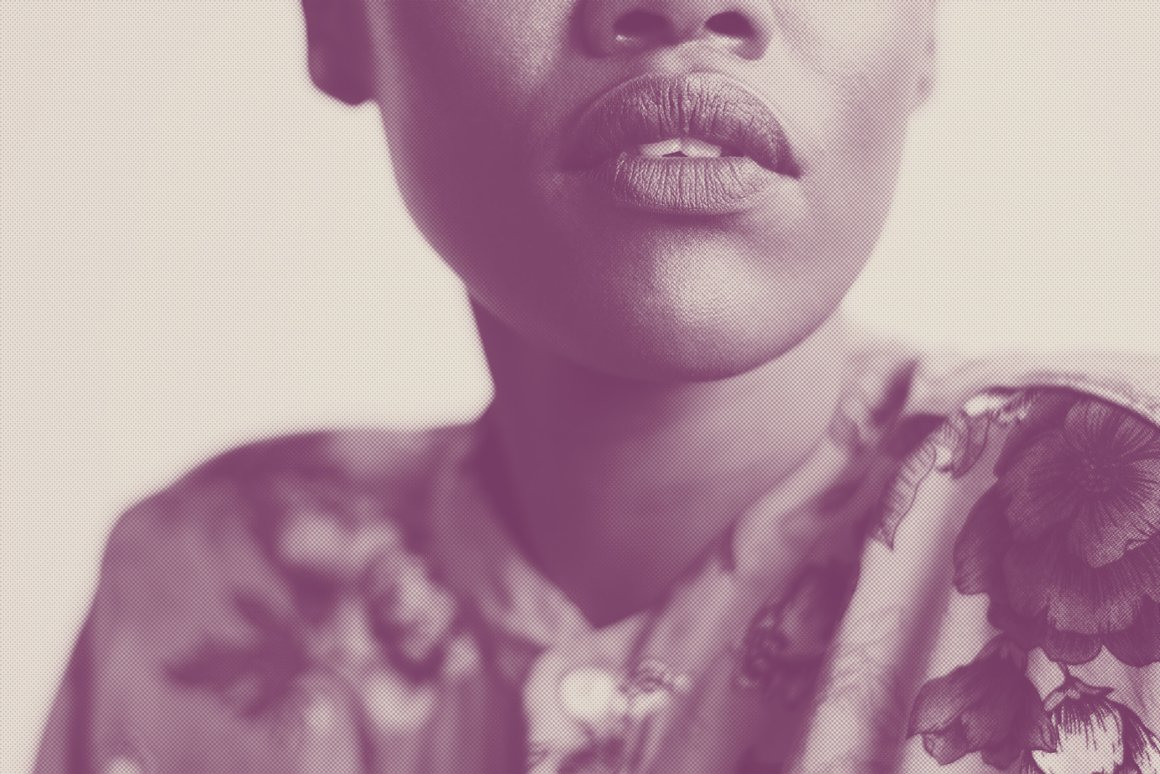
Converting an image or layout into a two-colour duotone - like the iconic Spotify playlist covers - turns standard photography into bold, graphic posters. It forces any photograph to match a brand's color scheme perfectly, stripping away realism in favor of pure mood. Gradient meshes create smooth, atmospheric transitions between multiple colours, adding a modern, 3D, or ethereal feel to digital interfaces.
22. Glitch and Chromatic Aberration
Mimicking a camera lens or digital screen failing to align colours, this effect splits the RGB channels slightly, leaving a red/blue fringe around elements. It implies high speed, digital corruption, or a cyberpunk aesthetic.
33. Tonal Restraint (Monochromatic Minimalism)
Sometimes the boldest colour choice is extreme restraint. Using only variations of a single hue - navy blue, slate gray, and pale blue - creates a highly sophisticated, premium, and unified look that forces the viewer to focus on typography and layout.
4High-Contrast Neon
Dark backgrounds with highly saturated, glowing neon colours (cyan, magenta, lime green) create a retro-futuristic, cyberpunk, or nightlife aesthetic - the colours appear to emit light, creating intense depth and focus.
5. The Anatomy and Properties of Colour
To use colour effectively, you must understand both its scientific anatomy (how it is created and displayed) and its visual properties (how the eye perceives it). Designers must navigate different colour models depending on the final medium of the artwork - Colour in Print vs Screen is an extremely important distinction.
5.1 Technical Anatomy (Colour Models)
RGB - Red, Green, Blue
An additive colour model used primarily for digital screens (Phones, Computers, TVs, Digital displays, Social media graphics): the colours are created by mixing light - light from red, green and blue channels is combined to create colours, and when all three are combined at full intensity, they create pure white. This model has the widest gamut (range of colours) and is used for web, UI, and video design.
CMYK - Cyan, Magenta, Yellow, Key/Black
A subtractive colour model used primarily for physical printing (Flyers, Posters, Brochures, Business cards, Magazines): the colours are created by layering inks that absorb (subtract) light. When all are combined, they create a muddy black (hence the need for a pure black "Key" plate). CMYK has a narrower gamut than RGB, meaning some bright neon colours on screen cannot be reproduced in print.
Pantone - Spot Colours
A standardized colour reproduction system: instead of mixing CMYK inks to approximate a colour, a specific, pre-mixed ink is used - ensuring absolute colour consistency across different print jobs and materials (e.g., matching a brand's exact logo colour on a business card, a t-shirt, and a plastic pen).
HEX - Hexadecimal
A base-16 numbering system used to specify colours in HTML and CSS - essentially a shorthand for RGB values used in web design, carrying Red + Green + Blue. Example: #FF0000 represents red; #FFFFFF is white. Common in websites, UI design, CSS, digital branding.
HSL / HSB - Hue, Saturation, Lightness/Brightness
A model that represents colour in a way that is intuitive to human perception - the preferred system for designers adjusting colours in software like Figma or Photoshop. Hue → which colour? Saturation → how intense? Lightness → how light/dark? HSL can be useful when creating systematic colour variations - exactly what the lab below does.
5.2 RGB vs CMYK: The Full Comparison
| Aspect | RGB (Red, Green, Blue) | CMYK (Cyan, Magenta, Yellow, Black) |
|---|---|---|
| Color model type | Additive (colors created by adding light) | Subtractive (colors created by absorbing light through ink) |
| Used for | Digital media: screens, apps, websites, videos | Print media: brochures, posters, packaging, business cards |
| Primary colors | Red, Green, Blue | Cyan, Magenta, Yellow, Black |
| Color creation | Combines light to produce colors; full intensity = white | Layers ink to absorb light; full combination = rich black |
| Color range (gamut) | Wider gamut; more vibrant and saturated colors | Narrower gamut; some RGB colors may not reproduce accurately |
| File formats | PNG, JPEG, GIF, SVG, PSD (for screen use) | PDF, TIFF, EPS, AI (for print-ready output) |
| Best for | On-screen visuals that need brightness and vividness | Physical prints requiring color accuracy and consistency |
| How it works | Light emitted from screens mixes RGB to form colors | Ink printed on paper subtracts light to reveal color |
| White point | White is created by combining all three colors at full power | White is the absence of ink; paper color shows through |
| Black point | Black is absence of light (no RGB) | Black is added as a separate ink for depth and contrast |
Scroll inside the table - the header row and the Aspect column stay frozen.
5.3 Visual Properties of Colour: Hue, Saturation, Value
One of the most important concepts in colour theory is the trio of Hue; Saturation; Value. Every colour is defined by three core properties (terminology varies slightly between colour models and software):
Hue
The actual name of the colour (e.g., red, blue, green) - the specific wavelength of light on the colour wheel. The colour family: Red, Orange, Yellow, Green, Blue, Purple. Hue answers: "What colour is it?"
Saturation (Chroma)
The intensity or purity of the colour. A highly saturated colour is vivid and bold; a desaturated colour is dull, muted, or closer to gray. High saturation can create: Energy, Youthfulness, Excitement, Strong emphasis. Low saturation can create: Sophistication, Calmness, Subtlety, A vintage or muted appearance.
Value (Lightness/Brightness)
Value describes how light or dark a colour appears (dark blue → medium blue → light blue). Changing value is extremely important for: Contrast, Readability, Depth, Hierarchy. Value is the most critical property for establishing contrast and hierarchy.
5.4 Tint, Tone & Shade - the live lab
Tint, Tone and Shade - three operations unlock palettes from one base colour: Tint: Created by adding white to a colour (blue → light blue); Shade: Created by adding black to a colour (blue → dark blue); Tone: Created by reducing a colour's intensity, commonly by adding grey (bright blue → muted blue). The formula: Colour, add white = Tint; add black = Shade; add grey = Tone. Drag the sliders and watch the trio derive themselves in real time:
Hue · Saturation · Lightness mixer
5.5 Optical Illusions: Depth and Weight
Colour physically alters how we perceive the mass and location of elements on a 2D plane. Colour and visual depth: generally, dark colours can appear heavier or receding; bright, warm colours can appear more visually prominent; cool colours may appear to recede in certain compositions - though value, saturation, scale, and surrounding colours all affect perceived depth. Colour and visual weight: a large black shape can feel heavier than a similarly sized pale yellow shape, so colour can influence visual balance - a designer can use it to compensate for differences in: Size, Position, Shape, Density.
6. Colour Palettes and Systematic Creation
A colour palette is a selected collection of colours used within a design or visual identity. A professional palette may contain: Primary - the main brand/design colour; Secondary - supporting colours; Accent - attention-grabbing colours; Neutral: White, cream, grey, charcoal, etc; and Dark/light variations: Used for flexibility.
Creating a Professional Colour Palette: A Practical Process - eight steps from brief to tested system:
flowchart TD
    A(["Step 1 - Identify the message: what should this design communicate?"]) --> B(["Step 2 - Identify the audience: who will see it?"])
    B --> C["Step 3 - Choose the dominant colour: the main emotional and visual direction"]
    C --> D["Step 4 - Select supporting colours: analogous, complementary or other harmonious relationships"]
    D --> E["Step 5 - Add an accent: one colour reserved for important information"]
    E --> F["Step 6 - Add neutrals: black, white, grey or cream to control the palette"]
    F --> G{"Step 7 - Test contrast: do text and key elements stay readable?"}
    G -->|"No"| C
    G -->|"Yes"| H{"Step 8 - Test in context: full size, small size, distance, screen, print proof"}
    H -->|"Fails anywhere"| C
    H -->|"Passes everywhere"| K(["A professional palette: dominant, secondary, accent, neutrals, variations"])
Steps 7 and 8 are where amateurs stop and professionals continue. View the design at: Full size, Small size, Distance, Screen, Print proof - testing in context is what turns a pretty set of swatches into a dependable system.
7. The Color Theory, Colour Wheel and Harmonies
Color theory is a foundational framework that merges artistic intuition with scientific principles to understand how colors relate, interact, and influence visual perception - essential not only for aesthetic composition but also for branding, accessibility, and psychological influence in visual communication. At its core lies the colour wheel, a fundamental visual tool in color theory that organizes hues in a circular format to illustrate their relationships and mixing behavior. It helps designers create harmonious palettes, evoke emotion, and guide viewer attention through contrast, balance, and unity. Modern color theory incorporates digital and print technologies via the RGB model (used for screens, based on red, green, and blue light) and the CMYK model (used for printing, based on cyan, magenta, yellow, and black inks) - allowing precise control over colour reproduction across media, and predictable, harmonious, or intentionally jarring colour schemes.

7.1 The Categories of Colour
| Category | Definition | Examples |
|---|---|---|
| Primary Colours | The wheel begins with the primary colors based on the traditional RYB model - red, yellow, and blue. Pure pigments that cannot be created by mixing other colors - the root hues from which other colours are mixed | Red, Yellow, Blue |
| Secondary Colours | When two primary colors are combined, they produce secondary colors, which sit between the primaries on the wheel | Red + Yellow = Orange · Yellow + Blue = Green · Blue + Red = Violet/Purple |
| Tertiary Colours | Further blending a primary with a neighboring secondary yields tertiary colors | Red-orange, Yellow-orange, Yellow-green, Blue-green, Blue-violet, and Red-violet |
| Quaternary Colours | Going a step further, quaternary colors emerge from mixing two tertiary colors - more subdued and complex tones for sophisticated design palettes | Olive, slate, and russet |
| Quinary Colours | Some theorists extend the wheel to quinary colors, which are derived from mixing quaternary hues | Highly specific, often unnamed shades that fill the subtle gaps in the spectrum |

7.2 Colour Temperature: Warm & Cool Colors
Warm and cool colors are fundamental classifications in color theory, each evoking distinct emotional and psychological responses. Their placement on the colour wheel - warm on one side, cool on the other - helps guide harmonious combinations and impactful compositions. But remember: colour meaning depends heavily on context.

Warm colors
Reds, oranges, and yellows - reminiscent of sunlight, fire, and autumn. They suggest Energy, Excitement, Heat, Passion, Urgency, and Activity. Ideal for creating vibrant, inviting atmospheres: they grab attention, convey urgency, or create a sense of coziness and intimacy.
Cool colors
Blues, greens, and purples - they mirror elements of nature such as water, sky, and foliage. They suggest Calmness, Freshness, Stability, Nature, Professionalism, and Serenity, and are commonly applied in healthcare, tech, and wellness branding.
Temperature nuance: colour temperature also works within a single colour family - a warm blue contains more violet/purple influence, while a cool blue contains more cyan/green influence. Colour temperature is not simply "Blue = cool": a designer can manipulate the temperature of colours to create different moods.
7.3 Colour Harmonies (Schemes)
Color harmony achieves visually pleasing combinations using established relationships on the colour wheel. Eight formal schemes cover nearly every professional situation:
| Scheme | The rule | Feel & best for |
|---|---|---|
| Monochromatic | Variations in saturation and lightness of a single hue - different tones, tints, and shades derived from a single base color (Blue → Navy → Blue → Sky blue → Pale blue), through the addition of white (tints), black (shades), or gray (tones) | Advantages: Simple, Elegant, Cohesive, Easy to control, Professional. Best for: Corporate designs, Minimalist posters, Presentations, Websites, Social media graphics |
| Analogous | Colours that sit next to each other on the wheel (Yellow → Yellow-orange → Orange → Red-orange); naturally harmonious and pleasing to the eye, often found in nature, but they can sometimes lack contrast - select one dominant hue to anchor the composition | Best for: Nature-themed designs, Illustrations, Backgrounds, Atmospheric compositions |
| Complementary | Two colours directly opposite each other on the wheel (Red + Green; Blue + Orange; Yellow + Purple) - creates the highest possible contrast and visual vibration; side by side they appear more vivid and energetic, making them ideal for focal points and calls-to-action. Warning: Complementary colours can become visually aggressive when both are extremely saturated and used in large quantities - the better approach is one dominant colour + one complementary accent | Excellent for: Headlines, Advertising, Sports graphics, Promotional flyers, Calls to action |
| Split-Complementary | A base colour and the two colours adjacent to its complement (Blue + Yellow-orange + Red-orange) | Maintains the visual tension and contrast of complementary schemes while offering greater versatility and reduced harshness, making it easier to balance - base as dominant, adjacent tones as accents for depth and emotional nuance |
| Triadic | Three colours evenly spaced around the wheel (forming a triangle, e.g., Red + Yellow + Blue) | Provides a moderate level of contrast, making it versatile and easier to harmonize; feels Vibrant, Playful, Balanced, and Energetic. Design tip: choose one dominant color and use the other two as accents - never three equal weights |
| Tetradic (Rectangle) | Four colours arranged into two complementary pairs (Blue + Orange + Green + Red) - the double-complementary scheme | Creates a bold, vibrant palette with rich diversity, but is difficult to control. Design tip: Choose 1 dominant colour, 1 secondary colour, and 2 accent colours; rely on neutral backgrounds to prevent visual overload |
| Square | Four colours approximately equally spaced around the colour wheel, forming a perfect square (Red, Blue-green, Yellow, Violet) | Creates a highly varied palette that maintains equilibrium across warm and cool tones; useful for Illustrations, Children's designs, Events, Entertainment graphics, and Creative branding - requires careful hierarchy, adjusting tints, tones, and shades to suit the mood. Tools like Adobe Color or Coolors can assist in generating these palettes |
| Achromatic | An achromatic palette contains no obvious hue: Black, White, and Grey | Particularly effective for Minimalist designs, Editorial design, Luxury aesthetics, Photography, and Corporate materials - often a single bright accent colour is introduced to this scheme to draw attention |


7.4 Try It: The Interactive Colour Wheel
The fastest way to internalise harmonies is to play with them. 1. Pick a color anywhere on the wheel, then 2. Choose a color combination - the scheme assembles itself with live HEX codes:
7.5 Additional & Contextual Colour Schemes
Beyond the formal wheel schemes, designers rely on several other strategic approaches to evoke mood, create contrast, and establish harmony:
| Scheme | The approach |
|---|---|
| Neutral Schemes | Blacks, whites, grays, browns, and beiges - a timeless, minimalist aesthetic often seen in fashion and branding |
| Warm & Cool Schemes | Using exclusively reds, oranges, and yellows to convey energy (perfect for food/entertainment), or exclusively blues, greens, and purples to promote calm and professionalism (ideal for healthcare/tech) |
| Custom/Contextual Schemes | Tailored to brand identity or cultural meaning, such as earth tones for eco-conscious brands or neon palettes for nightlife and gaming |
| Duotone Schemes | Using two contrasting colors for dramatic impact, especially in photography and posters |
| Gradient Schemes | Offering smooth transitions between hues to add depth and modern flair to digital interfaces |
8. The Psychology of Colour
Colour psychology examines how colour can influence perception, emotion, and behaviour - a powerful tool in branding, marketing, and user experience design. Designers use colour associations to prime the audience for a specific message: strategically applied colour helps brands emotionally connect with their target audiences, enhance recognition, and influence purchasing decisions. In branding, consistent use of color builds identity and recall; in UX design, color guides user attention, sets tone, and improves readability; in marketing, it affects perceived quality, value, and consumer trust. Studies show that up to 90% of snap judgments about products are based on color alone, and color can increase brand recognition by 80%. Still, avoid treating colour meanings as universal laws - while personal experiences and cultural backgrounds can alter these associations, broad universal trends do exist.

8.1 The Emotional Spectrum
Every hue carries a specific psychological weight. Here is how the primary colours influence mood and decision-making:
| Colour | Psychology | Brand examples | Use cases |
|---|---|---|---|
| Red | The most intense and visually advancing colour - it physically raises heart rates and creates a sense of urgency. Energy, Urgency, Passion, Danger, Excitement, Hunger | Coca-Cola, YouTube | Clearance sales, fast food, action brands |
| Blue | The colour of the sky and ocean - calm, stable, intellectual. Trust, Stability, Calmness, Technology, Professionalism, Security, Serenity, Coldness | IBM, Facebook, LinkedIn | Banks, tech companies, healthcare |
| Yellow | The most visible colour on the spectrum - captures attention instantly. Optimism, Happiness, Attention, Energy, Caution, Anxiety | McDonald's, Snapchat | Warning signs, children's brands, budget items |
| Green | Tied intimately to the natural world. Nature, Growth, Freshness, Health, Sustainability, Wealth, Tranquility, Environmentalism | Whole Foods, Spotify | Finance, organic products, outdoor brands |
| Orange | A blend of red's energy and yellow's happiness. Enthusiasm, Creativity, Warmth, Friendliness, Affordability, Playfulness | - | Sports, food, youth-oriented brands |
| Purple | Historically the colour of royalty because purple dye was rare and expensive. Creativity, Luxury, Imagination, Spirituality, Mystery, Royalty, Wisdom | - | Beauty products, luxury goods, esoteric brands |
| Black | The absence of colour - sophistication and power. Power, Elegance, Sophistication, Authority, Mourning | Chanel, Nike | High-fashion, luxury vehicles, bold typography |
| White | The presence of all light. Purity, Cleanliness, Simplicity, Openness, Minimalism, Space, Neutrality | - | Healthcare, minimalism, Apple-style modern tech |
| Grey | The quiet professional. Neutrality, Sophistication, Restraint, Professionalism | - | Corporate backgrounds, tech UI, balancing bolder colors |
8.2 Cultural Context: The Cultural Meaning of Colour
While broad trends exist, colour meaning is not universal. Culture, context, industry, surrounding colours, and personal experience change how a colour is interpreted - the same colour can communicate different things depending on: Religion, Culture, Geography, Historical context, Industry, Audience, and Occasion.
White
In Western cultures, white is associated with weddings and purity - while in many Eastern cultures, it is the colour of mourning. A celebratory palette in one region can be a funeral palette in another.
Red
Red signifies danger in the West - but luck and prosperity in China. Never choose a colour solely because you read that it has one psychological meaning.
Therefore: always consider the target audience and context, and research their target demographic's cultural context before finalizing a palette. Red can communicate urgency, energy, or excitement, and blue can communicate trust, calmness, or professionalism - but their effectiveness depends entirely on who is viewing the design.
8.3 Added Psychological Principles in Design
The Isolation Effect (Von Restorff Effect)
An item that stands out like a sore thumb is most likely to be remembered: if a design is predominantly blue and grey, a single bright yellow "Register Now" button will be recalled vividly.
Appetite Stimulation
Warm colors like Red, Orange, and Yellow are known to stimulate the appetite - which is why they dominate the fast-food industry (McDonald's, Burger King). Conversely, Blue is a natural appetite suppressant, as very few naturally blue foods exist.
Colour and Time Perception
Warm colours (like red and orange) can make time feel like it is passing more slowly - which is why waiting rooms often use cool colours (like blue and green) to make the wait feel shorter and more relaxing.
9. Gradient as a Graphic Design Element
Gradients - smooth, gradual transitions between colors - play a vital role in modern web and graphic design by adding depth, dimension, and emotional resonance. Where a flat colour is a static statement, a gradient implies a light source, a physical surface, or movement, bridging the gap between a 2D canvas and 3D realism. The effectiveness of a gradient depends heavily on color harmony principles: monochromatic schemes for subtle unity, complementary schemes for striking contrast, and analogous schemes for gentle transitions.
9.1 Types and Usage - live gallery
| Gradient type | Behaviour | Best for |
|---|---|---|
| Linear | Colors blend along a straight axis | Creating smooth background transitions or simulating a horizon |
| Radial | Colors radiate outward from a central point | Highlighting a focal point or simulating a glowing light source |
| Conical | Colors spiral around a center, resembling a cone or a 3D perspective | Complex UI elements or metallic effects |
| Multi-Gradient / Mesh | Complex blends of multiple colors across a non-linear grid - Mesh Fill in CorelDRAW or gradient meshes in Photoshop | Intricate, organic, and multi-directional color blending |
9.2 Materials, Effects, and Forms Creation
Gradients are not just for backgrounds; they are essential for simulating physical reality. By carefully manipulating highlights, midtones, and shadows, designers create convincing textures and forms - watch metallic bands do it below:
Gold & Silver: metallic gradients use specific arrangements of dark, light, and saturated bands to simulate reflective, shiny surfaces. Water & Fire: fluid, irregular gradients can mimic the transparency and movement of water, or the warm, chaotic upward motion of fire. This is the same illusion machinery that turns flat shapes into believable 3D forms - colour doing the work of a light source.
9.3 Modern Usage
Today's digital landscape embraces gradients to elevate user engagement and brand expression: Spotify uses vibrant multi-color gradients to energize its interface, while Prism Data employs animated gradients for a sleek, professional feel. Creative studios' gradient work evokes warmth, texture, and mood, tailoring palettes to brand identity and audience emotion. Ultimately, well-crafted gradients enhance user experience - they guide attention, reinforce brand tone, and create visually compelling environments that resonate across platforms and devices.

10. Colour Pairing, Combo, and Gradients Tools
To build effective palettes and gradients, designers rely on a mix of local software features, web-based generators, and community inspiration hubs.
10.1 Local Tools & Software Features
| Tool | What it gives you |
|---|---|
| CorelDRAW | Features advanced tools like Mesh Fill for complex multi-color gradients, dedicated color palettes (Pantone, CMYK, RGB) and harmony docker for automatic color schemes. For the full tool-level walkthrough, read Color Theory - CorelDRAW Interface and Colours |
| Adobe Photoshop | Offers the Gradient Editor, Gradient Maps (which map grayscale values to specific colors), and the Eyedropper for precise color extraction |
| Pixellab | Mobile-focused design app with built-in color pickers, preset gradient libraries, and layer effects tailored for quick social media graphics |
10.2 Webtools & Generators
Designers rely on web tools to access curated palettes or generate custom blends aligned with color theory (you can also download the Quest Digitech colour & gradients cheatsheet for quick reference):
| Web tool | What it does |
|---|---|
| CSS Gradient | Generating and visualizing CSS gradients with live code output |
| WebGradients | A collection of 180 linear gradients ready for web use |
| uiGradients | A curated library of beautiful gradient palettes designed for UI/UX backgrounds |
| Adobe Color / Coolors | Generating color harmonies, extracting palettes from images, and testing contrast |
10.3 Inspiration Hubs
Beyond tools, Behance, Pinterest, Dribbble and other platforms are where you train your eye. Observing how professional designers combine colors and gradients in real-world projects is one of the best ways to train your eye for colour pairing - save what resonates, then reverse-engineer why it works.
11. The Interplay - How Colour/Gradient Interacts with Other Elements
Colour does not exist in a vacuum. It is part of a larger visual system, and its interaction with typography, shapes, images, and space defines the sophistication of a design. It engages Line, Shape, Form, Space, Texture, Typography and Imagery in seven distinct ways:
1. Colour + Typography (Legibility and Emphasis)
Colour and typography must work together: colour determines if text can be read, and it highlights specific words - making the word "Free" red - to guide the reader's scanning eye. A large bold white headline on a dark background can produce strong visual impact; thin, light-grey text on a white background may be difficult to read. When choosing text colour, consider: Font weight, Font size, Background, Contrast, Viewing distance, and Medium.
2. Colour + Shapes (Meaning and Form)
Colour gives flat 2D shapes emotional weight and identity. A sharp, jagged shape coloured red implies danger; coloured blue, it implies a sharp edge but feels less threatening. Same geometry, different message - the hue does the emotional work.
3. Colour + Lines
Colour defines the energy of a line. A red line can create emphasis or urgency (like a strike-through or a warning boundary), while a soft blue or grey line creates a subtle structural grid without dominating the layout.
4. Colours in Forms and Effects
Colour combined with forms creates illusions of 3D mass: warm colours with highlights and cool colours with shadows (or applying gradients) creates volume and depth, turning a flat circle into a 3D sphere - the bridge between this page and the Forms & Effects element of the series.
5. Colour as Background / Negative Space
Negative space is not just "white". Dark background: Can make bright elements stand out strongly and create depth. Light background: Creates a cleaner, more open appearance. Saturated background: Can dominate the composition (use with caution). Neutral background: Allows foreground elements to become the focus. A bold colour for negative space (a bright yellow background) turns the background into an active, energetic element rather than an empty void - which is why many professional layouts use neutral backgrounds with carefully selected accent colours.
6. Colour + Colour (Gradients)
When colours interact with each other, they create movement. A gradient merging blue into purple doesn't just change hue; it guides the eye across the composition and merges the psychological feelings of trust (blue) with luxury (purple).
7. Colour + Image (Harmonization)
Raw photographs often clash with a design's layout, and the common mistake is selecting colours independently from the photograph or illustration. Instead, extract or identify colours already present in the image. The colour extraction workflow: Image → Identify dominant colours → Build palette → Apply to design - pulling a dominant colour, supporting colour, accent colour, light neutral, and dark neutral from the photo itself. If a photograph contains Blue + Orange + Cream, the graphic design can use those exact colours in the headline, shapes, icons, borders, and buttons - creating visual integration. Designers also use duotones, color grading, or coloured overlays to force the photograph's palette to match the brand's ecosystem, particularly useful for posters and social media designs.
12. Visual Design Aesthetics & Practical Applications
The treatment of colour and gradients defines many major design styles - colour is often the primary visual identifier of a specific design movement. The way colour is proportioned, saturated, and contrasted dictates the entire aesthetic of a composition.
12.1 Major UI/Visual Design Styles (Aesthetics)
Seven style families below are rendered as living specimens - each card carries the style's actual colour signature, its typical palette strip, and the colour logic that defines it:
12.2 Practical Applications: Colour/Gradients in Different Design Media
Colour behaves differently depending on where it is used. Designers must adapt their colour logic to the specific constraints of the medium:
| Medium | The colour logic |
|---|---|
| Web and UI Design | Colour dictates user flow: primary buttons get the brand's accent colour; secondary buttons get a muted outline. Dark mode requires inverted colour logic, using desaturated colours to prevent eye strain. Websites must consider Accessibility, Interaction states (hover, active, disabled), various Screens, and overall User experience (UX) |
| Branding & Logos | Colour increases brand recognition by up to 80%. A brand's palette must be distinct from competitors - if a bank uses blue, a fintech startup might use vibrant orange to stand out as the "anti-bank". In logos, colour should remain recognisable across all formats, often requiring a monochrome version for legal and practical use |
| Packaging Design | Colour must stand out on a physical shelf. Food packaging uses warm colours (red/orange) to stimulate appetite; organic products use earthy greens and kraft-paper browns to signal natural ingredients. Colour drives Shelf visibility, Product differentiation, Brand recognition, and Perceived product characteristics (matte black for premium electronics, bright primary colours for children's toys) |
| Editorial / Magazine | Colour is used to separate sections, highlight pull quotes, and establish a visual rhythm across multi-page spreads. Tints and shades are often used to create a hierarchy without introducing entirely new hues |
| Print Collateral (Posters & Flyers) | For posters, colour needs to attract attention from a distance, often utilizing high-contrast or complementary schemes. For flyers, colour helps organise information and create emphasis on details like dates, locations, and calls-to-action |
| Social Media | Colour must work effectively on small screens and in fast-scrolling environments: high-contrast borders or bright accent colours are necessary to stop the thumb from scrolling |
| Educational Materials | Colour is used to categorize information, highlight key terms, and reduce cognitive load. Warm colours can signal importance, while cool colours provide a calm reading background |
| Road Signs and Traffic Signs | Colour is a matter of life and safety: red means stop/prohibition, yellow means caution/warning, green means safe/go, and blue indicates mandatory actions or information. High contrast is legally mandated for readability at high speeds |
Scroll inside the table - the header row and the Medium column stay frozen.
12.3 Specific Colour Assets & UI Elements
Colour Assets
Combos, Palettes, Gradients: used to create systemic design libraries. Gradients in particular add modern depth to flat UI elements, breathing life into digital interfaces.
Containers and Text Holders
Coloured backgrounds for cards, text boxes, or UI modals must maintain sufficient contrast (WCAG standards), often utilizing subtle tints rather than highly saturated hues.
SVG (Scalable Vector Graphics)
Colour in SVGs can be controlled via CSS: dynamic, theme-able icons and illustrations that change colour based on user interaction or system preferences (like dark mode).
Backgrounds
Solid colours or gradients set the stage: a background colour determines the overall mood and must not compete with the foreground content.
Icons and Emojis
Colour differentiates icon categories or states (e.g., a red trash can vs. a blue floppy disk), and emojis rely on standardized colour palettes to convey universal human emotions and objects.
Gradients in Forms and Effects
Gradients simulate 3D depth on 2D elements: a subtle light-to-dark gradient on a CTA button makes it look "pressable" (skeuomorphism), while metallic or glass gradients create premium, tactile effects in digital art.
13. Pitfalls to Avoid (The Colour Hall of Shame)
Even experienced designers fall into recurring traps when working with colour. Awareness is the first defense. To ensure professional and effective designs, avoid these common errors:
Hierarchy & Saturation Mistakes
| Pitfall | Why it fails | The fix |
|---|---|---|
| The Rainbow Effect (No Hierarchy) | Using too many unrelated colours at once makes a design chaotic - if everything is screaming for attention, nothing is heard | Start with approximately 2-5 intentional colours and expand only when necessary; stick to the 60-30-10 rule |
| Over-Saturation (Using Saturated Colours Everywhere) | Cranking every colour to 100% saturation: if everything is bright, nothing feels important - without muted, desaturated colours to provide a resting place for the eye, a highly saturated design becomes exhausting to look at | Reserve strong saturation for emphasis and focal points |
| Choosing Colours Randomly | Colours picked because they "look nice" carry no strategy | Every colour should have a purpose - a professional asks "Why this colour?" |
Accessibility & Readability Mistakes
| Pitfall | Why it fails | The fix |
|---|---|---|
| Ignoring Contrast | Beautiful colours can still produce poor readability: placing light gray text on a white background makes text illegible | Always check contrast ratios before shipping |
| Using Colour as the Only Information Cue | Placing red text on a green background is not only illegible to visually impaired users but completely invisible to colour-blind users | Don't communicate information using colour alone - use icons alongside red/green status colours |
| Vibrating Boundaries | Placing highly saturated complementary colours (red/blue, green/magenta) directly next to each other: the edges blur and vibrate, causing physical eye strain | Separate with neutrals, reduce saturation, or re-pair |
Contextual & Medium Mistakes
| Pitfall | Why it fails | The fix |
|---|---|---|
| Ignoring the Background | A colour that looks excellent on white may fail on black | Always evaluate how a colour interacts with its surrounding background |
| Ignoring Cultural Context | Using white for a celebratory wedding invitation in an Eastern culture where white signifies mourning | Research the audience's cultural colour associations first |
| Relying Entirely on Colour Psychology | Colour meaning depends heavily on context and audience | Never assume a colour has one rigid, universal meaning |
| RGB in Print (Colour Shift) | Designing a vibrant neon poster in RGB mode and sending it to a CMYK printer: the resulting print will be dull, muddy, and completely wrong | Always design in the correct colour space for the final medium |
14. The Best Practices Checklist & Professional Workflow
For every project utilising colour, work through this checklist and workflow to ensure your decisions are intentional, strategic, and technically sound.
14.1 A Designer's Colour Checklist
| Check | The question |
|---|---|
| Purpose | Does the colour support the message? |
| Audience | Is the palette appropriate for the intended audience? |
| Hierarchy | Is the most important information visually dominant? |
| Contrast | Can the text be read easily? |
| Harmony | Do the colours work together cohesively? |
| Branding | Are the correct brand colours being used? |
| Accessibility | Can the information still be understood without relying solely on colour? |
| Medium | Is it designed appropriately for screen (RGB) or print (CMYK)? |
| Consistency | Are colours being used consistently across all assets? |
| Restraint | Is every colour necessary? |
14.2 Technical Verification Steps
Planning Phase
Define the emotional goal of the design. Research the target audience's cultural colour associations. Check competitor palettes to ensure differentiation.
Colour Harmony
Build the palette using the colour wheel (Monochromatic, Analogous, Complementary). Ensure there is a clear dominant, secondary, and accent colour.
Contrast & Accessibility
Verify minimum 4.5:1 contrast ratio for text. Test the design in grayscale - if the hierarchy fails in grayscale, it is based purely on colour hue and needs value adjustment.
Colour Blindness Simulation
Run the design through a colour blindness simulator (Protanopia, Deuteranopia, Tritanopia) to ensure critical information - like red error messages - is still understandable.
Technical Specs
Verify the document is in the correct colour mode (CMYK for print, RGB for digital). Use Pantone spot colours if exact brand matching is required for print.
System Consistency
Establish a defined colour system (HEX codes for web, Pantone/CMYK for print) and apply it strictly to build brand equity.
14.3 The Professional Colour Workflow
A strong graphic designer follows a systematic workflow to ensure colour serves the communication strategy, not just the aesthetics - fifteen steps from brief to finalized system:
flowchart TD
    A["1. Understand the brief: Define the project requirements and constraints"] --> B["2. Identify the message: What must the audience understand?"]
    B --> C["3. Identify the audience: Who are they, and what are their cultural/demographic contexts?"]
    C --> D["4. Research visual context: Look at competitor palettes and industry standards"]
    D --> E["5. Choose colour direction: Decide on the emotional temperature (warm, cool, neutral) and harmony scheme"]
    E --> F
    subgraph F["6. Build palette: Begin selecting specific hues"]
      F1["7. Establish dominant colour: Choose the main emotional/visual direction (approx. 60%)"] --> F2["8. Add secondary colours: Select supporting colours that create contrast (approx. 30%)"]
      F2 --> F3["9. Add accent colour: Choose one colour for important information/CTAs (approx. 10%)"]
      F3 --> F4["10. Add neutrals: Use black, white, grey, cream, or other neutrals to control the palette and provide breathing room"]
      F4 --> F5["11. Apply to typography and imagery: Integrate colour with text, photos, and illustrations"]
    end
    F --> G{"12. Check hierarchy: Ensure the eye is guided to the most important info first"}
    G -->|"No"| F
    G -->|"Yes"| H{"13. Check accessibility/readability: Verify contrast ratios and colour-blindness compliance"}
    H -->|"Fails"| F
    H -->|"Passes"| I{"14. Test on intended medium: View the design at full size, small size, on screen, and via print proof"}
    I -->|"Fails"| F
    I -->|"Passes"| J["15. Refine: Adjust saturation, value, and proportion based on the tests. Finalize the system"]
15. Conclusion: The Silent Language
In graphic design, Colour is the silent language. It is the element that bypasses logic to directly manipulate the heart and the nervous system. Mastering colour means realizing that it is never just "making things look pretty" - it is a precise, strategic tool for directing attention, organizing information, and manufacturing emotion. In an increasingly noisy and visually saturated world, this silent language cuts through the clutter faster than any other element.
The best use of colour is symbiotic. The colour sets the mood; the text delivers the logic. Neither competes; they elevate one another. The rules of harmony, contrast, and proportion do not constrain colour - they channel its raw psychological power into clear, effective visual communication.
To master this element, you must understand it as a complete ecosystem - one structural framework that holds the entire subject together:
flowchart TD
    CO(["COLOUR - a complete ecosystem"]) --> P["Properties: Hue - Saturation - Value/Lightness"]
    CO --> R["Relationships: Monochromatic - Analogous - Complementary - Triadic - Tetradic"]
    CO --> M["Meaning: Emotion - Psychology - Culture - Context"]
    CO --> FN["Function: Attention - Hierarchy - Contrast - Grouping - Branding"]
    CO --> T["Technical Systems: RGB - CMYK - HEX - HSL"]
    CO --> AP["Application: Print - Digital - Branding - UI - Posters - Packaging - Social Media"]
    CO --> QC["Quality Control: Contrast - Accessibility - Readability - Consistency - Reproduction"]
Your journey forward begins with a fundamental shift in perception. The next time you look at a design, do not just look at what colours are used. Look at their proportions. Notice their saturation levels. Observe how they create hierarchy without a single line being drawn. See colour not as a finishing touch, but as a graphic element - a structural mass of emotion and contrast - and then let its psychological meaning serve the design. That is the moment when a colour choice transcends decoration and becomes graphic design.
Keep exploring the series on QuestDigitech
- Color Theory - CorelDRAW Interface and Colours - these laws applied inside a real design tool
- Lines and Shapes as Graphic Design Elements - the structural elements colour animates
- Text as a Graphic Design Element - the voice colour speaks over
- QuestDigitech home - the whole design-elements library
Image credits & acknowledgment. Images on this page are used for educational illustration of the design concepts discussed. The wheel diagram, category chart, temperature wheel, harmony illustrations and the brand-logo psychology wheel are from the QuestDigitech colour and gradients article graphics (questdigitech.com.ng). The spectrum gradient photograph is from Unsplash; the duotone portrait is from Yellow Images; the neon light-trail and synthwave scene images are from StockCake; the soft ambient gradient photograph is from Pexels. The 60-30-10 application demos were inspired by palette-breakdown graphics popularised by design creators such as Vortex Design, Websitoo and a2z visualz on Pinterest, and are rebuilt here as original CSS artwork. All third-party trademarks and brand logos shown (Coca-Cola, YouTube, IBM, Facebook, LinkedIn, McDonald's, Snapchat, Whole Foods, Spotify, Chanel, Nike, and others) remain the property of their respective owners and appear solely as psychological examples. For attribution corrections or takedown requests, contact QuestDigitech.