

Image as a Graphic Design Element
The stage, the setting and the atmosphere of visual language: how images anchor attention, carry emotion and context - and how professionals source, manipulate, optimize, and integrate them without losing their soul (or their legal footing).
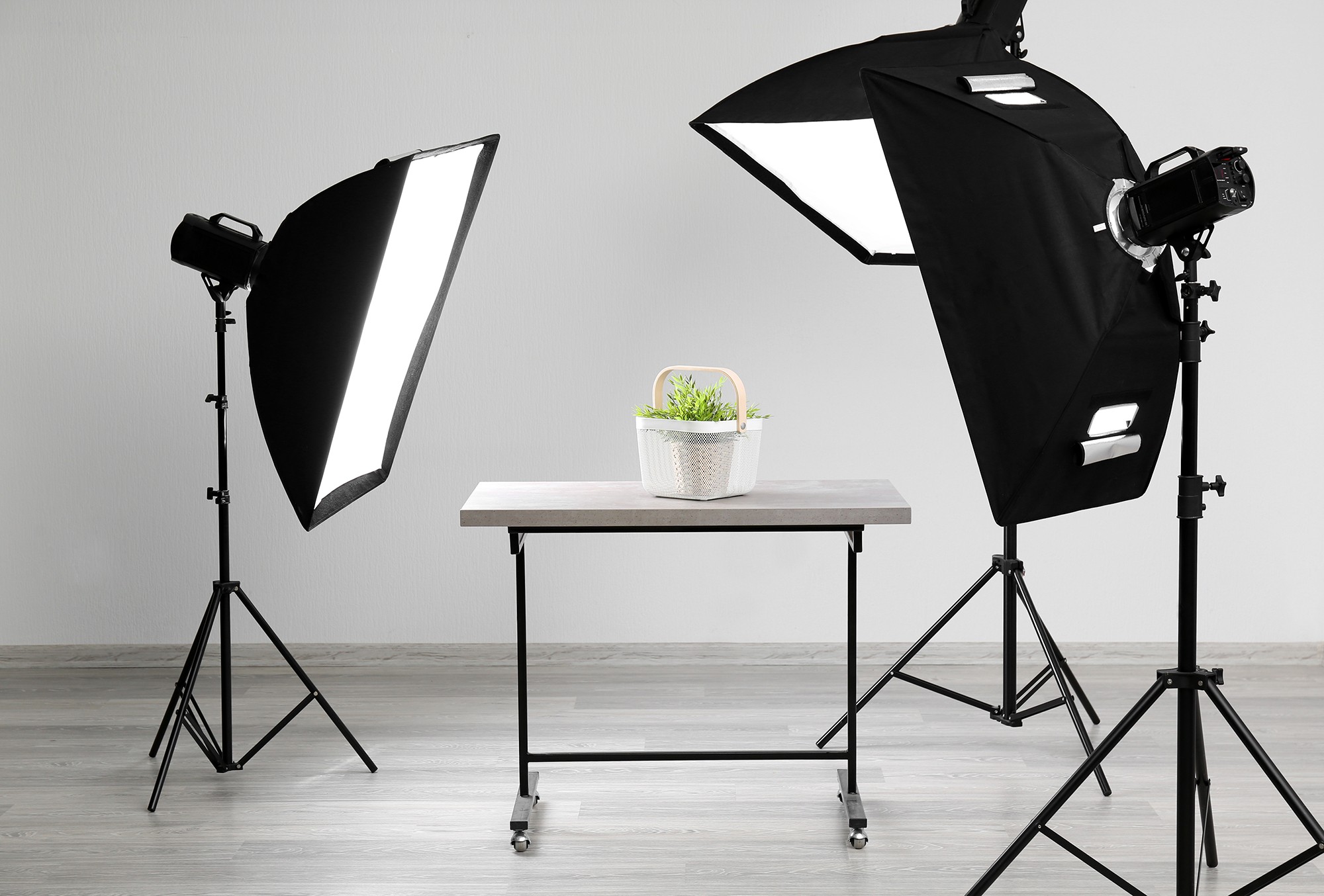
In graphic design, an Image is the most immediate and visceral element of visual communication. If lines are the alphabet, shapes are the words, and text is the voice, the image is the stage, the setting, and the atmosphere all at once. While text delivers the explicit dialogue, the image provides the context, the emotion, and the subconscious narrative.
An image is one of the most powerful elements in graphic design. It can communicate an idea, create emotion, establish visual hierarchy, explain information, attract attention, and strengthen a brand - often faster than words can. The timeless adage that a picture is worth a thousand words holds particularly true in our visually saturated world: human brains process images in as little as 13 milliseconds - far faster than text. Because audiences often form first impressions within milliseconds of encountering a design, the image acts as the critical entry point, deciding instantly whether a viewer will stay or scroll past. This rapid cognitive processing allows an image to evoke nostalgia, instill trust, incite action, or communicate complex cultural ideas without a single written word.
Whether encountered on a billboard, a mobile screen, or a printed brochure, images function as the primary vehicle through which brands tell stories, convey complex information, and forge emotional connections. However, in graphic design an image is rarely used as a raw, unedited photograph. Instead, it is a malleable raw material waiting to be cropped, scaled, colored, masked, and integrated into a broader visual system. A professional designer does not just place an image; they manipulate it to serve the exact needs of the composition. Understanding how to effectively source, manipulate, optimize, and integrate images is therefore not merely a technical skill, but a fundamental competency that separates amateur work from professional design.
Series note: this page condenses the full article Image as a Graphic Design Element and teams it with its siblings Lines and Shapes as Graphic Design Elements and Forms and Effects as Graphic Design Elements on QuestDigitech - open them for the complete design-elements series.
1. What is an Image? (Anatomy and Properties)
In graphic design, an image is any visual representation used to communicate or support a message. An image is not just a picture; it is a constructed visual entity spanning a vast array of visual assets:
Real captures of people, products, places and events - the camera's proof of reality.
Created rather than photographed - drawn or painted imagery free from physical laws.
Sketches and traditional media that inject warmth, craft and personality.
Stripped-down pictograms that communicate a universal function instantly.
Layered combinations of cut-outs, textures and mixed media.
Scenes that set location, mood and atmosphere.
Human faces and likenesses that humanize a brand.
Clean, precise captures designed to showcase an object flawlessly.
Synthetic visuals synthesized from prompts and reference inputs.
Data and processes transformed into visual insight.
Interface captures for tutorials, portfolios and product marketing.
Computer-generated imagery - hyper-realistic or completely abstract.
An image does not simply "decorate" a design. It should always serve a communication purpose. To use an image effectively, you must understand both its technical anatomy (how it is built and stored) and its visual properties (how it is perceived by the eye).
Technical Anatomy and Resolution
The technical makeup of an image dictates how it can be used, scaled, and exported across different mediums:
- Resolution: the amount of visual information (pixel density) an image contains - for raster images, commonly expressed in pixels (1920 × 1080 px means Width = 1920 pixels, Height = 1080 pixels). Higher resolution generally provides more detail, although simply increasing the pixel dimensions of a low-quality image does not magically recreate missing detail.
- Color mode: RGB (Red, Green, Blue) is the additive color model used for screens and digital displays; CMYK (Cyan, Magenta, Yellow, Key/Black) is the subtractive color model used for physical printing; Grayscale is composed exclusively of shades of gray, often used for dramatic effect or to unify a layout.
- Bit depth and alpha channels: the amount of color data an image holds (8-bit vs 16-bit color) and the presence of an "Alpha Channel" (transparency data). Transparent PNGs or WebPs allow images to float seamlessly over backgrounds without a white bounding box - essential for compositing and UI design.
| Aspect | Digital design | Print design |
|---|---|---|
| Resolution yardstick | PPI (Pixels Per Inch) - screen rendering optimized at 72/96 PPI, or @2x/@3x for retina displays, to balance quality and file size | Around 300 DPI/PPI for high-quality close-viewed images; low-resolution sources pixelate in print |
| What matters most | Pixel dimensions (e.g. 1920 × 1080 px) and optimized file weight | PPI/DPI + physical dimensions + viewing distance |
| Color mode | RGB - additive color, light mixing on screens | CMYK - subtractive color, ink absorption on paper |
| Classic failure | Unnecessarily large files that slow page loading | Images that look crisp on screen but print pixelated or soft |
Raster vs Vector
Understanding the fundamental distinction between raster and vector graphics is essential for selecting the appropriate format and workflow:
| Aspect | Raster (bitmap) images | Vector images |
|---|---|---|
| Built from | A fixed grid of individual pixels, each assigned a specific color value | Mathematical paths, curves, and geometric shapes rather than pixels |
| Zoom behavior | Zoom in far enough and you eventually see the squares - enlarging beyond the original resolution results in pixelation and quality loss | Resolution-independent: scales infinitely - billboard or postage stamp - without any degradation |
| Common formats | JPG/JPEG, PNG, WebP, TIFF, GIF | SVG, AI, EPS |
| Ideal for | Photographs, detailed artwork, web images, and digital paintings where subtle color gradations and complex textures are paramount | The mandatory choice for logos, icons, illustrations, typography, and any print materials requiring scaling |
Visual and Compositional Properties
Beyond the technical code, an image possesses physical visual characteristics that a designer must evaluate before placing it into a layout:
| Property | What it describes | Design consequence |
|---|---|---|
| Focal point | The primary area of interest within an image | Identify (or manipulate) it so it aligns with the layout and does not compete with text |
| Depth of field | The distance between the nearest and farthest objects in focus | A shallow depth of field isolates a subject (blurry background); a deep depth of field keeps everything sharp - designers use blur to push images into the background |
| Contrast and tonality | The range of light and dark in an image | High-contrast images are punchy and energetic; low-contrast images feel soft, ethereal, or vintage. Tonality dictates how well text can be placed over an image |
| Orientation and framing | How the subject is captured within the bounds of the image (portrait/vertical, landscape/horizontal, square) | Cropping allows designers to completely redefine the framing and orientation of a raw image |
| Depth | The sense of foreground, middle ground, and background | Strengthen depth using blur, scale, overlap, shadows, atmospheric perspective, and lighting |
Image Quality - the six-point baseline
A good image should normally have the following foundational qualities before it is integrated into a design:
It should be large enough for the intended output - no heroic upscaling at the last minute.
The important subject should not be unnecessarily blurry.
The subject should be clearly visible.
The image should work with the surrounding design.
Its colour should complement the design.
The image should actually support the message.
2. Categories of Visual Assets
Not all visual assets serve the same purpose. Images in graphic design are broadly categorized by how they are created and what they represent - and each carries a specific psychological weight. The thoughtful selection among these asset types - or their strategic combination - often determines whether a design feels cohesive and purposeful or disjointed and confusing. Tap through the seven families:
Photography is one of the most commonly used visual elements. Photographs bring realism, texture, and a sense of authentic environment or personality. They are particularly effective when the goal is to showcase actual products, document real events, or humanize a brand through portraiture. The tangible quality of photography helps establish credibility and trust, making it the default choice for editorial content, real estate marketing, and lifestyle branding.
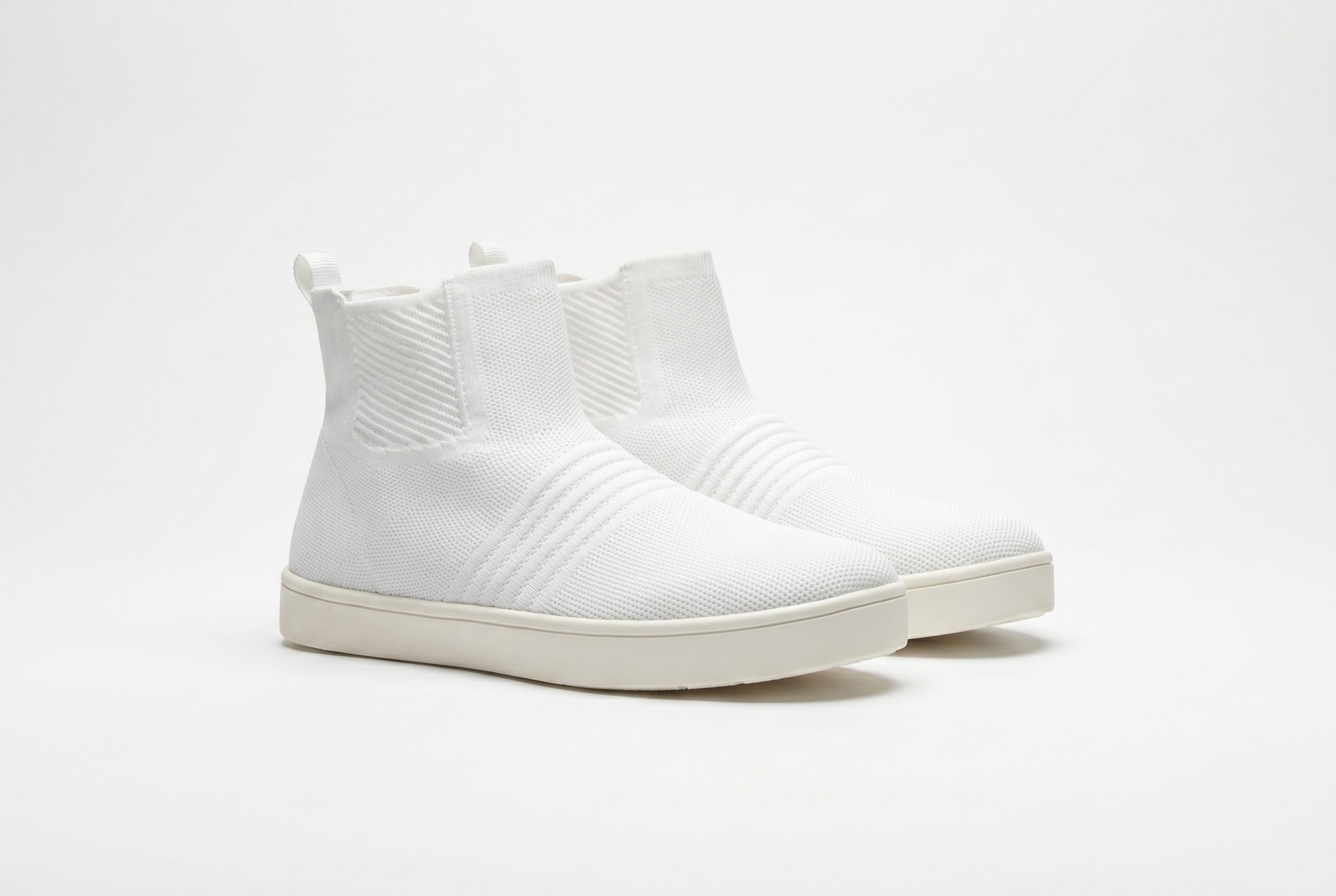
Product photography: clean, highly lit, precise - engineered to showcase an object flawlessly. Source: Fotogenic AI (studio product photograph).
Sub-categories: Editorial/Documentary photography (captures real moments, people, or events; conveys authenticity and journalism) · Portrait photography (focuses on humanizing a brand or capturing a person's likeness) · Product/Commercial photography (clean, highly lit, precise - showcases an object flawlessly) · Event photography (documents live occurrences and gatherings) · Lifestyle photography (staged but natural-looking; sells an aspiration or feeling) · Architecture, Food, Fashion, and Nature photography (specialized fields focusing on specific subjects). Example: a tutorial centre advertising WAEC/UTME lessons might use a photograph of confident students studying.
Psychological impact - Trust, Realism, Tangibility:
- Trust: when viewers see a photograph, they subconsciously believe it - a photo of a smiling person using a product feels less like a marketing "concept" and more like a documented fact.
- Realism: photography captures the exact, unidealized details of the real world - the messy hair, the actual lighting, the specific texture of a material - grounding a design in reality.
- Tangibility: real-world textures (the gloss of a wet surface, the roughness of concrete, the softness of a fabric) make the subject feel "touchable" - bridging the flat 2D screen/paper and the physical world.
- "This exists": a camera captures light from a physical subject - the brain treats a photograph as proof of reality: "This product is real, this person is real, and this place actually exists."
Why this matters: with an illustration of a shoe, the buyer thinks "cool concept, but what does the actual shoe look like?" With a photograph, the brain says "this shoe exists, and this is exactly what I will get" - the photograph breaks down skepticism and drives action. (Note: with the rise of hyper-realistic AI imagery, this psychological contract is currently being tested, but the human brain's ingrained instinct is still to trust a photograph as proof of existence.)
Illustrations are created rather than photographed - hand-drawn or digitally painted imagery not bound by the physical laws of reality. They offer the freedom to simplify complex workflows, visualize abstract concepts, or inject an artistic, conceptual touch photography cannot achieve. Custom illustrations can be tailored precisely to a brand's personality, from whimsical hand-drawn elements to sleek, technical vector art. Illustration gives designers more creative control than photography; it simplifies reality to highlight an idea.

Illustration simplifies reality to highlight an idea: no lens, no studio - just controlled shapes, palette and narrative. Source: Tubik Studio (flat digital illustration).
Sub-categories: Hand-drawn, Vector-based, Digital paintings, Cartoon-style, Editorial illustrations, Technical illustrations.
- Vector illustration: crisp, scalable, often geometric or stylized - common in UI and branding.
- Painterly/Organic: textured, mimicking traditional media (watercolor, gouache); evokes warmth and craft.
- Technical/Infographic: highly schematic, used to explain complex systems or data.
Psychological impact - Creativity, Concept, Abstraction, Approachability: creativity signals imagination, innovation, and out-of-the-box thinking - a brand that values artistry; concept has the power to make the invisible visible, physically manifesting metaphors, emotions, or complex digital processes that a camera cannot capture; abstraction strips away distracting real-world details to focus the viewer's attention entirely on a single, core idea; approachability - hand-drawn or cartoon styles feel human, warm, and friendly, lowering the audience's defenses and making intimidating topics feel accessible.
Why this matters: a cybersecurity company explaining cloud encryption gets nothing from a photograph of a server room - an illustration of a vault protecting glowing data streams makes an abstract, invisible service instantly digestible and engaging.
Computer-generated imagery (CGI) that simulates three-dimensional objects - hyper-realistic or completely abstract. This medium allows designers to visualize products that have not been manufactured yet or create entirely impossible worlds - lit and angled infinitely without a photoshoot, saving production costs while maintaining absolute visual control.

A fully synthetic room: every cushion, shadow and reflection placed by math. 3D renders visualize what does not exist yet - flawlessly. Source: CGIFurniture (3D interior render).
Psychological impact - Futurism, Precision, Technological advancement: futurism instantly places a brand on the cutting edge (the hyper-glossy, flawless nature of CGI feels like science fiction made real); precision means perfect lighting, flawless reflections, and zero physical imperfections - ultimate, idealized quality; technological advancement signals the resources, modern mindset, and technical capability of advanced digital pipelines; absolute visual control lets designers manipulate shadows, materials, and camera angles with mathematical precision.
Why this matters: an automotive company launching a car that has not left the factory, or a tech company launching an abstract digital service, gets perfect visuals without the massive cost and logistics of a physical photoshoot - an idealized, premium version of reality that builds desire.
Images that do not depict specific, recognizable objects, but instead use form, color, and texture to create a mood. Images can also function as textures rather than subjects, adding tactile quality to flat digital designs.
Examples: paper texture, concrete, wood, metal, fabric, noise, grunge, marble, water - plus macro shots of materials (wood grain, rippling water), light trails, or gradients.
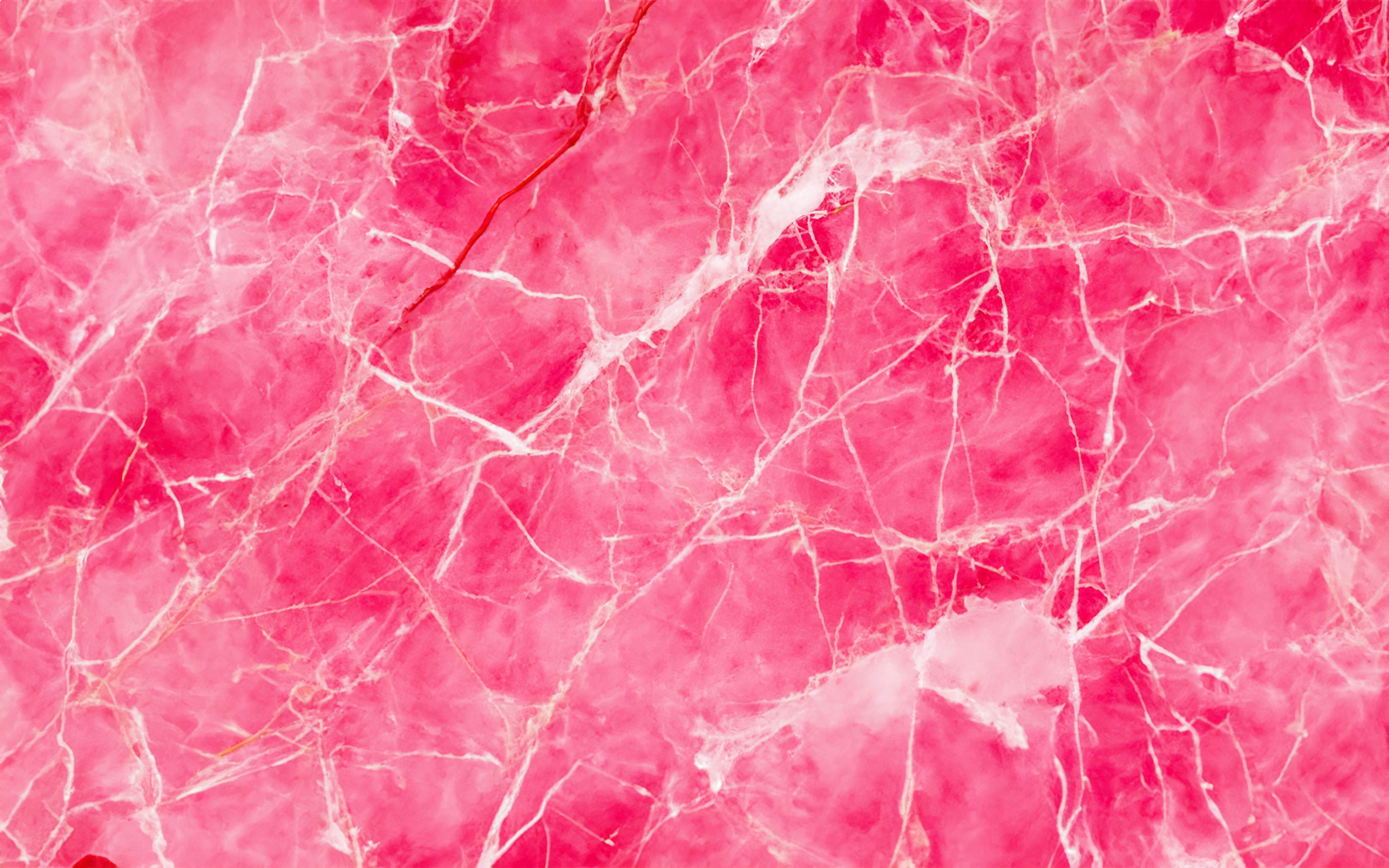
Texture as visual music: this marble surface depicts nothing and says everything - atmosphere, temperature and material in a single frame. Source: Unsplash (macro marble texture photograph).
Psychological impact - Atmosphere, Mood-setting: they add visual depth and character, acting as visual music behind the more literal elements of a design. Atmosphere sets the emotional temperature before a single word is read (dark gritty concrete = industrial and harsh; soft pastel water gradient = calm and ethereal); mood-setting subconsciously primes the audience for the message; visual depth and character stop flat digital designs from feeling sterile or artificial; visual music - like a movie soundtrack - supports the main subject (the "dialogue" of text and logos) without competing with it for attention.
Why this matters: a luxury skincare brand might use a macro photograph of smooth silk or rippling water behind their typography - it does not literally show the product, but it perfectly communicates the feeling of smooth, hydrated skin, elevating perceived value through atmosphere alone.
Icons provide quick, recognizable symbols that strip away unnecessary detail to communicate a universal function or idea instantly - facilitating navigation and interaction, particularly in digital interfaces and wayfinding systems.
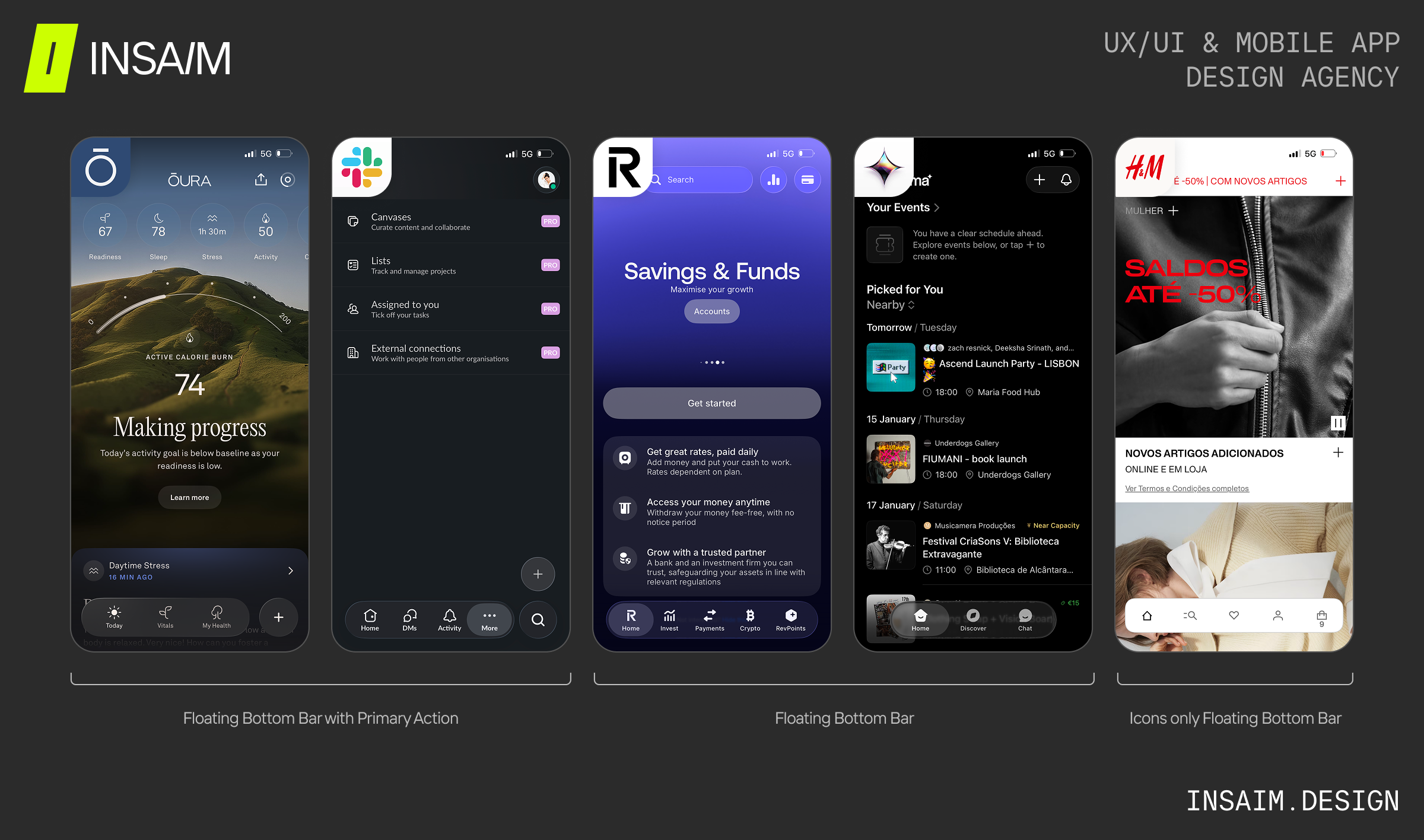
Iconography at work: floating bottom bars where five tiny pictograms replace whole menus - shape recognition instead of reading. Source: INSAIM DESIGN (mobile UI concept).
Psychological impact - Clarity, Efficiency, Universality, Navigation: clarity cuts through language barriers and visual noise (a magnifying glass means "search" globally, zero cognitive effort); efficiency - the brain processes simple shapes faster than text, speeding interaction and reducing cognitive load; universality creates a standardized visual language anyone can understand regardless of native tongue or reading level; navigation provides visual anchors that guide users through complex digital or physical environments intuitively.
Why this matters: in a mobile app, screen space is severely limited. A trash can icon instead of the word "Delete" in 10 different languages saves space, looks cleaner, and lets users navigate instantly on shape recognition alone.
Data visualizations and infographics transform raw numerical information into clear, understandable visual insights, diagrams, and patterns at a glance. By using charts, graphs, and mapped illustrations, they enable audiences to grasp trends, comparisons, and patterns instantly, making complex data accessible and engaging.
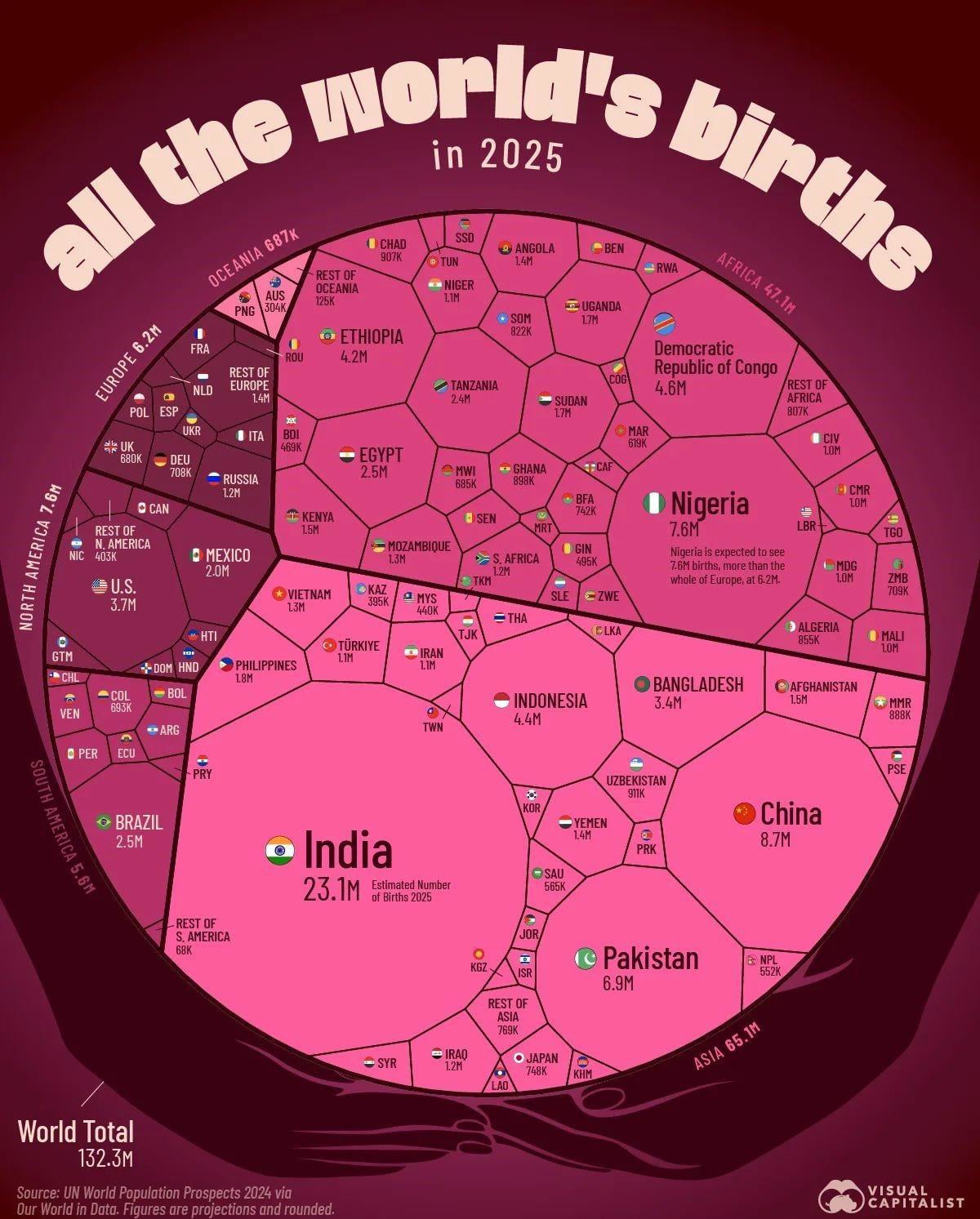
An infographic turns an intimidating spreadsheet into an "aha!" moment - scale, comparison and hierarchy in one poster. Source: Visme (infographic design).
Psychological impact - Comprehension, Authority, Scale, Clarity: comprehension makes the incomprehensible digestible (Turns massive, intimidating spreadsheets into visual "aha!" moments); authority shows the brand has done its research with hard data to back its claims; scale visually demonstrates magnitude - a bar chart with one value towering over another communicates disparity far more emotionally than the numbers "1,000 vs 50" ever could; clarity strips statistical noise to reveal pure, undeniable trends.
Why this matters: "we planted 1 million trees" is just text - an infographic showing a tiny human next to a massive, sprawling forest makes the scale hit the viewer's brain emotionally and viscerally, driving the point home far better than words.
The combination of multiple image types - a photograph cut out and placed over a painted texture, combined with vector shapes. Often used in editorial and music design to create striking, layered conceptual statements by merging disparate visual languages into a single composition.
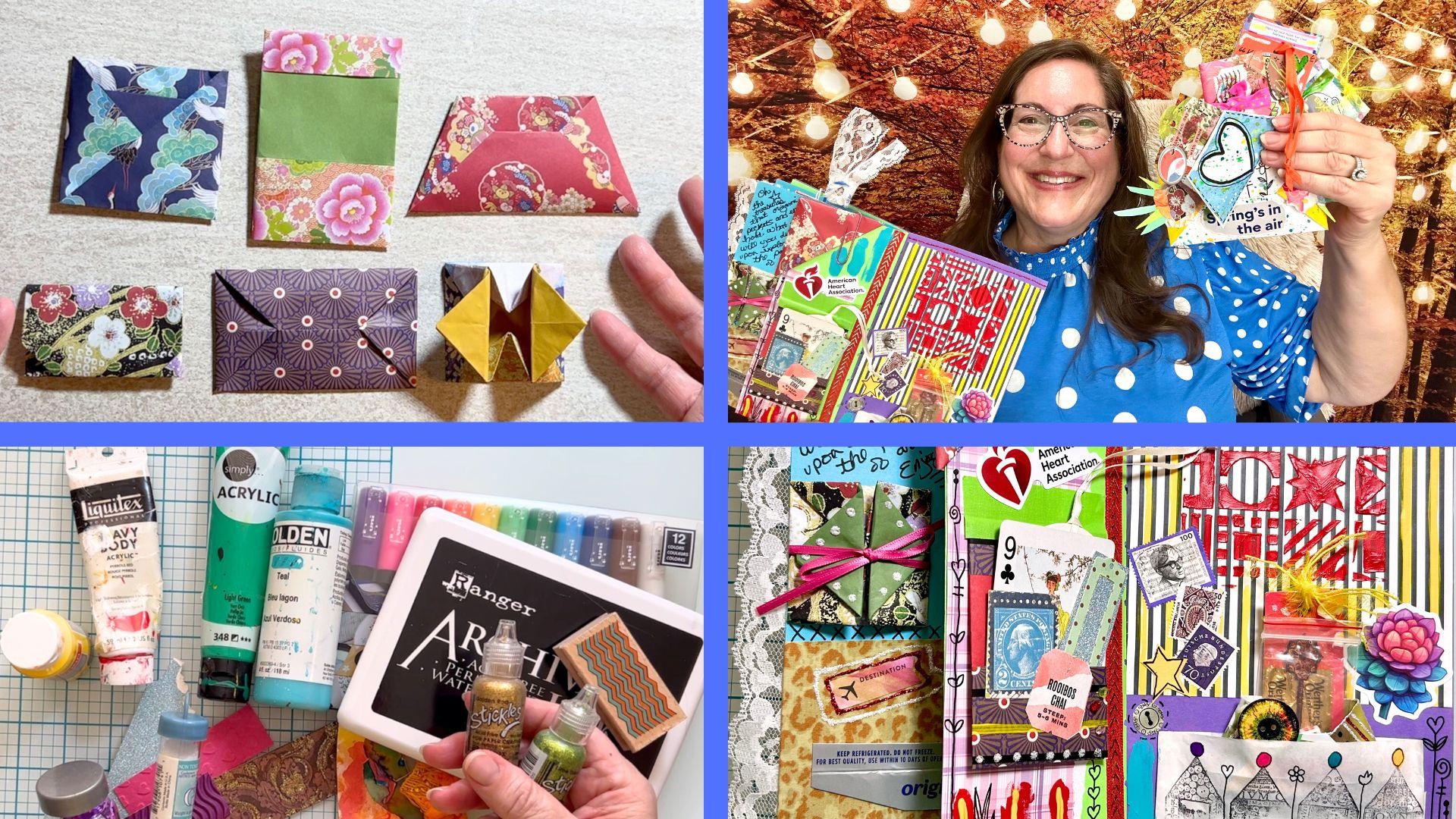
Mixed media: photography, paper, paint and vector torn into one layered statement - chaotic by design. Source: Skillshare (mixed-media collage artwork).
Psychological impact - Eclecticism, Surrealism, Rebellion: it challenges the viewer's perception and creates a highly distinct, artistic visual footprint. Eclecticism blends different visual worlds (vintage photos with futuristic 3D shapes) signaling a brand that draws inspiration from diverse sources; surrealism breaks the rules of reality to create memorable dreamscapes that force the viewer to stop and decode the visual puzzle; rebellion rejects clean, corporate polish for raw, layered, textured art - handmade, subversive, anti-establishment.
Why this matters: an indie music festival or an avant-garde fashion magazine needs to stand out from clean, algorithm-driven, uniform Instagram feeds - a mixed-media collage grabs attention precisely because it is chaotic, layered, and visually complex: bold, creative, and unapologetic.
3. The Pillars of Image as a Visual Element
Why are images important? When an image is placed into a design, it takes on specific functional roles that dictate the composition. Images perform multiple critical functions that extend far beyond simple aesthetics - they are the essence of visual communication, the structural and emotional pillars of a layout:
People notice strong visual elements before reading text. Images act as visual anchors that draw the eye into the layout, creating an immediate focal point around which headlines, body copy and calls-to-action are organized - the primary hook in advertising, where capturing interest within the first few seconds is essential. The image is often the largest and most visually complex element on the page: the entry point into the design before the text is read. In a fast-paced digital world attention is the most scarce resource - a dramatic photograph can make someone stop scrolling through social media; without this initial visual hook, even the most brilliant copy will never be read.
Images clarify complex ideas and support core narratives in ways text alone cannot - making abstract concepts digestible and universally understandable, transcending language barriers. The brain processes visual information holistically rather than sequentially: an image delivers its message in a single glance, reducing cognitive load and ensuring the core narrative lands instantly - even with an audience that does not speak the language of the text.
Images evoke emotion through color, mood, lighting, and subject - setting the emotional temperature: happiness, excitement, trust, fear, luxury, hope, urgency, professionalism, peace, energy. A dark, stormy ocean wave creates tension and drama; a sun-drenched field of wildflowers creates peace and warmth. The image tells the viewer how to feel before the text tells them what to think - priming them for the logical argument, since human decision-making is largely emotional, then justified by logic.
Text alone can be abstract - an image instantly grounds it in reality. If a poster says "Join the movement," the image defines what movement: a civil rights protest, a fitness class, or a dance crew. Restaurant flyer → food photography; Church programme → worship/faith imagery; Technology advertisement → device imagery; Education flyer → students/books imagery. The image narrows the infinite possibilities of text into one specific, unmistakable reality.
Consistent image style makes a brand recognizable, fostering loyalty and recognition - audiences remember not just what a company does, but how it makes them feel. Over time a disciplined approach creates a "visual ecosystem": a signature lighting style, a specific color grading, or a recurring illustrative approach becomes as identifiable as the logo itself, building long-term trust and brand equity.
Images contain dense information, so they carry heavy visual weight - designers use them as physical "masses" in the architecture of a layout: a single large image on the left can balance a large block of small text on the right. Establish hierarchy through size, position, contrast, sharpness, colour, isolation, and depth - Primary image → 70% of visual attention, Secondary image → 20%, Decorative imagery → 10%.
Image Roles in the Composition
Depending on the design's objective, an image takes on a specific functional role within the layout:
The image itself is the primary communication element - e.g. a perfume advertisement with a large bottle, dramatic lighting, minimal typography. The image is the star: typography is deliberately minimized so it never competes with the visual impact. Used when the visual appeal of the product or subject is the primary selling point.
A secondary role - headline "MASTER GRAPHIC DESIGN" backed by a photo of a designer at a computer. Typography communicates the primary message; the image reinforces it, proving the text's claim or adding atmospheric flavor - a visual footnote enhancing credibility and emotional weight without stealing the spotlight.
The image recedes entirely, acting as a textured canvas rather than the focal point - e.g. a subtle, darkened photograph of a concert crowd behind bold, neon event typography. Heavily treated with overlays, blurs, or opacities so typography and UI stay primary while the image provides environmental or emotional context.
4. Sources and Major Ways to Find or Create Images
Sourcing the right image is a critical step in any design project, and contemporary designers have access to an unprecedented range of acquisition methods - traditional methods, digital libraries, and modern AI generation and manipulation. The major channels:
1. Finding Images (Digital and Community Sources)
Tools like Google Images index billions of photographs and illustrations - an efficient starting point for broad exploration.
Google Lens and Pinterest let users search and identify visuals via image recognition: find an image's source, discover similar items, find comparable styles, or identify unknown products simply by uploading a reference photograph.
Freepik, Unsplash, Shutterstock, Adobe Stock, and Getty Images offer vast repositories of high-quality, pre-made visuals - democratized access to professional imagery, though careful curation is required to avoid generic or overused content.
Facebook, Telegram, WhatsApp, Pinterest, and Behance serve as inspiration hubs and sources for design assets exchanged by creators - valuable for discovering emerging visual trends and niche aesthetic movements.
Wikimedia Commons, Flickr (Creative Commons), and the Library of Congress provide legally accessible imagery for projects with specific licensing requirements or budget constraints.
2. Creating Original Images (User Creations)
- Photography: capturing real-world subjects using a camera - complete creative control over lighting, composition, and subject matter. Directly drawn illustrations, personal photography, screen captures, and scanned artwork all count as original, custom sources.
- Digital illustration and 3D modeling: creating custom artwork using software like Adobe Illustrator, Procreate, or Blender.
3. AI-Powered Image Generation and Manipulation
Modern design workflows increasingly incorporate artificial intelligence not merely as a supplementary tool but as a core creative engine - synthesizing new images from scratch or altering existing ones with neural networks to bypass stock photo limitations. AI can now generate characters, backgrounds, product concepts, environments, illustrations, advertising visuals, concept art, and decorative elements. Techniques such as prompt engineering, text-to-image generation, style transfer, real-time creations, and reverse image engineering have redefined the creative pipeline:
Creating visual content from natural-language descriptions. Tools like ChatGPT, Gemini, Reve AI, Ideogram, Midjourney, DALL-E 3, Stable Diffusion, and Adobe Firefly generate high-quality images from prompts in a variety of art styles, dramatically accelerating the prototyping phase. Most also support uploading images that the AI can then modify or manipulate.
Mask a region of an existing image and have a diffusion model regenerate only that region from a text prompt - internal correction, object removal, or targeted edits while preserving the rest. Usually triggered by prompting or techniques like sketching.
Extends an image beyond its original borders, creating new content that seamlessly aligns with the original scene - used to alter aspect ratios or expand the canvas creatively. Usually triggered by AI-auto-assumption, prompting, or sketching.
Applies the artistic style of one image to the content of another - rapid aesthetic exploration and visual consistency across diverse assets.
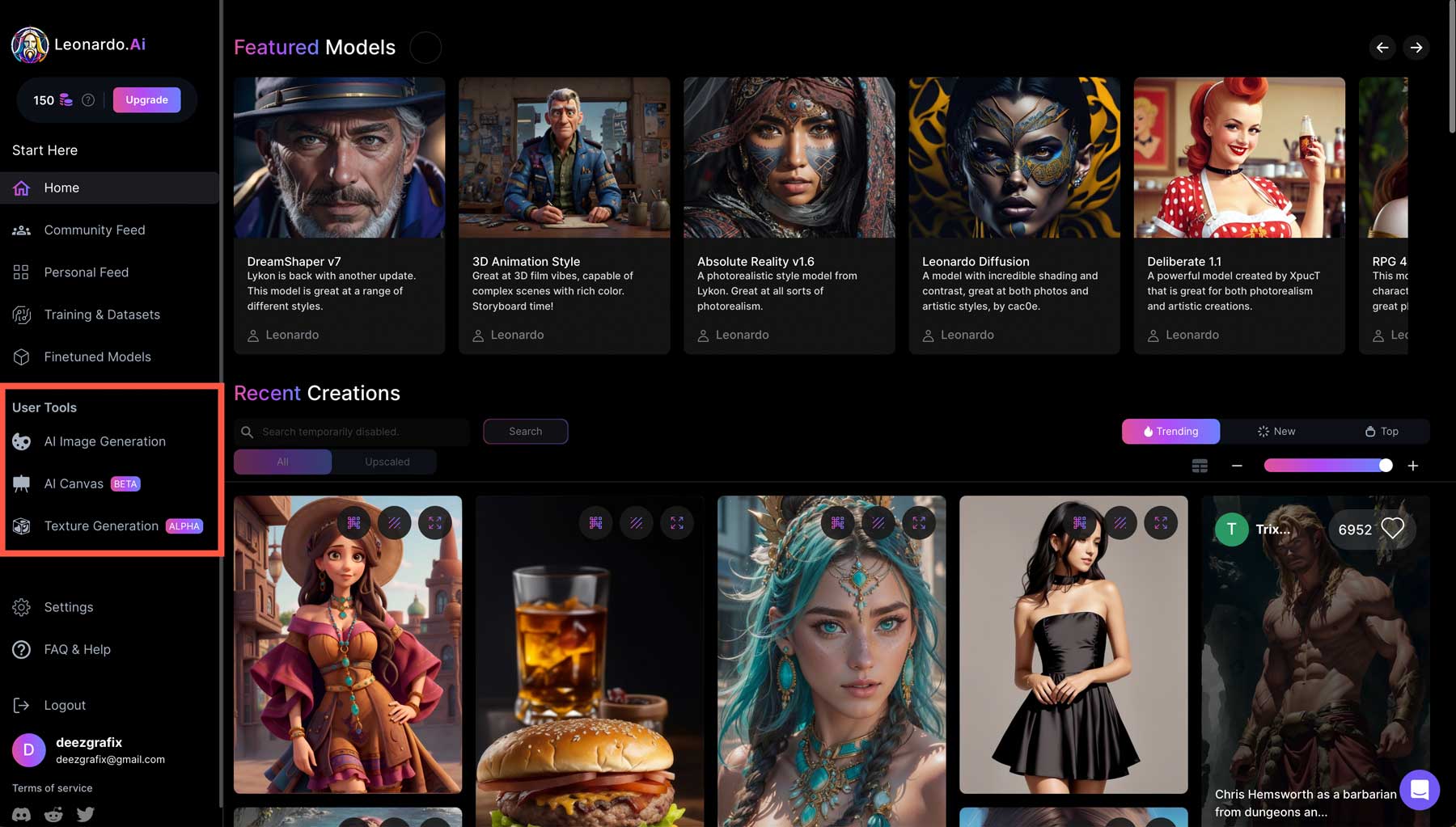
Images generated in real time as text is changed or the canvas is modified: BlinkShot, Krea AI (Realtime Canvas), Leonardo.AI (Live Canvas), getimg.ai, and Ideaverse AI - turning "generate-and-wait" into a dynamic, interactive iterative loop.
Extracting text prompts from existing images using AI (especially computer vision): decode prompts from reference images, analyze style/lighting data, recreate professional ad-quality visuals - reverse-engineer the creative process, clone styles, and learn to write better prompts.
How reverse prompting works: upload an image and the AI analyzes its characteristics (style, lighting, subject, camera data) to generate a detailed text prompt. Example ChatGPT prompt: "write out the prompt to generate this exact pose, lightning, background and photography/art style (in a single paragraph) for each image. for any image/photo i upload (no text); USING THE FACIAL OF THE IMAGE I WILL UPLOAD. NOTE: you were not asked to generate image but only the prompt."
OCR/ICR (Optical/Intelligence Character Recognition) extracts actual written text from images - tools include Google Lens, Apple Live Text, Microsoft Lens, Adobe Scan, Tesseract OCR, and most LLMs like ChatGPT, Gemini or Claude.
flowchart TD
    P(["Write the prompt"]) --> G["Text-to-image generation"]
    G --> R{"Asset ready?"}
    R -->|"Not yet"| F["Refine: inpaint - outpaint - upscale"]
    F --> G
    R -->|"Yes"| L{"Legal checkpoint"}
    L -->|"Document tools and prompts"| D["Disclose AI involvement to the client"]
    D --> O["Optimize: resolution - artifacts - color - consistency"]
    O --> Z(["Integrate: concept - composition - typography - hierarchy - colour - editing - final output"])
The designer's role with AI: the job does not end when the AI generates an image. The designer still needs to consider: concept → composition → typography → hierarchy → colour → editing → final output. AI can create an asset; graphic design turns the asset into communication.
Further reading and resources: AI Image Manipulation Techniques · Reverse Prompt Engineering: How to Extract Text Prompts from Images Using AI Tools.
5. Popular AI Image Tools and Features
The landscape of AI image tools is vast and constantly evolving. The table below categorizes the major tools by their primary function, features (like real-time generation, inpainting, etc.), pricing, and environments. Note: "NR" indicates a feature is Not Readily available or not the primary focus of that specific tool.
| Tool / Platform | Primary category | T2I | Real-time gen | Inpainting / Outpainting | Reverse prompt / OCR | Pricing / Access | Environment / Notes |
|---|---|---|---|---|---|---|---|
| Midjourney | T2I / Art Generation | Yes | No | Yes (Vary/Zoom) | No | Paid (Subscription) | Discord / Web. Industry standard for artistic quality. |
| DALL-E 3 / GPT Image | T2I / Conversational | Yes | No | Yes | Yes (via ChatGPT) | Paid (Plus/Pro) / Free via Copilot | OpenAI ecosystem. Excellent prompt adherence. |
| Adobe Firefly | T2I / Editing | Yes | No | Yes (Generative Fill) | Yes (Text to Image) | Freemium (Credits) | Web / Photoshop / Illustrator. Commercially safe. |
| Stable Diffusion / SDXL | T2I / Open-Source | Yes | Yes (with plugins) | Yes (ControlNet) | NR | Free (Open Source) | Local install / ComfyUI / WebUI. Infinite control. |
| FLUX models (1.1 Pro) | T2I / Open-Source | Yes | No | Yes | NR | Freemium / Open Source | Black Forest Labs. High-fidelity text and anatomy. |
| Krea AI | Real-Time / Enhance | Yes | Yes (Live Canvas) | Yes | No | Freemium | Web. Renowned for real-time generation and upscaling. |
| BlinkShot AI | Real-Time Generation | Yes | Yes | NR | NR | Free | Web. Fast, real-time prompt-to-image. |
| Ideogram | T2I / Typography | Yes | No | Yes (Magic Prompt) | No | Freemium | Web / API. Best for rendering legible text in images. |
| Recraft AI | T2I / Vector | Yes | No | Yes | No | Freemium | Web / Studio. Generates and edits vectors and 3D. |
| Leonardo.AI | T2I / Game Assets | Yes | Yes (Live Canvas) | Yes (Canvas) | No | Freemium (Tokens) | Web. Excellent for game assets and control nets. |
| Canva Magic Media | T2I / Design Integration | Yes | No | Yes (Magic Edit) | No | Freemium | Canva. Seamless integration into design workflows. |
| Microsoft Designer / Copilot | T2I / Integrated | Yes | No | Yes | No | Free | Web / Edge. Powered by DALL-E 3. |
| ChatGPT (GPT-4o) | Conversational AI | Yes | No | Yes | Yes (Vision) | Paid (Plus) | OpenAI. Generates images and reverse prompts natively. |
| Google Gemini / Imagen | Conversational AI | Yes | No | Yes | Yes (Vision) | Freemium | Web / App. Generates images and analyzes visuals. |
| Claude | Conversational AI | No | No | No | Yes (Vision) | Freemium | Anthropic. Cannot generate, but excellent at reverse prompt. |
| Reve AI | T2I / Art | Yes | No | Yes | Yes | Freemium | Web. Fast, high-quality generation. |
| NightCafe | T2I / Community | Yes | No | Yes | No | Freemium | Web. Uses multiple models (SD, DALL-E). |
| Runway ML | T2I / Video / Editing | Yes | No | Yes (Inpainting) | No | Paid | Web. Heavy focus on motion and video generation. |
| Magnific AI | Upscaling / Enhance | No | No | Yes | No | Paid | Web. Dramatic AI upscaling and hallucinated detail. |
| Remini | Photo Enhancement | No | No | NR | NR | Freemium | App / Web. Best for face enhancement/repair. |
| Photoroom AI | Background / Editing | Yes | No | Yes (BG Removal) | No | Freemium | App / Web. E-commerce product photography. |
| Topaz-style Upscalers | Upscaling | No | No | No | No | Paid | Local / Web. Traditional AI upscaling. |
| Craiyon / DeepAI | T2I (Basic) | Yes | No | NR | No | Free | Web. Basic, entry-level image generation. |
| Artbreeder | Compositing / Mixing | Yes | No | NR | No | Freemium | Web. Gene-based image mixing. |
| CLIP Interrogator | Reverse Prompting | No | No | No | Yes | Free | Web / Open Source. Extracts prompts from images. |
| Picsart Image-to-Prompt | Reverse Prompting | No | No | No | Yes | Freemium | App / Web. Extracts prompts from visuals. |
| PixelPanda / PromptImage | Reverse Prompting | No | No | No | Yes | Free | Web tools for extracting prompt data. |
| ImgPrompt / Prompt Reverse | Reverse Prompting | No | No | No | Yes | Free | Web / Browser Extensions. |
| Native /describe | Reverse Prompting | No | No | No | Yes | Free | Midjourney/Discord bot feature. |
| Prompt Architects Ext. | Reverse Prompting | No | No | No | Yes | Free | Browser Extension. |
| Lexica | T2I / Reverse Prompt | Yes | No | NR | Yes | Freemium | Web. Searchable database of SD prompts/images. |
| Google Lens / Apple Live Text | OCR / Vision | No | No | No | Yes (OCR) | Free | Mobile / OS. Extracts text and identifies objects. |
| Microsoft Lens / Adobe Scan | OCR | No | No | No | Yes (OCR) | Free | Mobile. Document scanning and text extraction. |
| Tesseract OCR | OCR Engine | No | No | No | Yes (OCR) | Free | Open Source. Underlying engine for many OCR apps. |
| DreamStudio | T2I (SD Interface) | Yes | No | Yes | No | Paid (Credits) | Web. Stability AI's official UI for SD. |
| Shutterstock AI | T2I / Stock | Yes | No | Yes | No | Paid | Web. Integrates AI into stock library ecosystem. |
| Freepik AI (Magnific/Pikaso) | T2I / Real-Time | Yes | Yes (Pikaso) | Yes | No | Freemium | Web. Integrated into Freepik ecosystem. |
| Dzine AI / Raphael AI / Meitu | T2I / Editing | Yes | No | Yes | No | Freemium | Web / App. Various specialized generation/editing. |
| StarryAI / ImgCreator | T2I / Art | Yes | No | NR | No | Freemium | App / Web. Focus on NFT and abstract art. |
| Playground AI / Mage.Space | T2I / Multi-model | Yes | No | Yes | No | Freemium | Web. Allows use of multiple open-source models. |
| Tensor.Art | T2I / Model Hosting | Yes | No | Yes | No | Freemium | Web. Hosts community-trained SD models. |
| Pixlr AI | Editing / T2I | Yes | No | Yes | No | Freemium | Web. Photo editor with AI generation tools. |
| MetaAI / Grok AI | Conversational T2I | Yes | No | NR | Yes (Vision) | Free | Social Media Integration. |
| Nano Banana Pro | T2I (Gemini) | Yes | No | NR | NR | Free / Paid | Google ecosystem image generation. |
| Off Grid / ComfyUI | T2I / Node-based | Yes | Yes | Yes | No | Free (Open Source) | Local. Node-based interface for ultimate control. |
| CorelDRAW 2026 | Design Integration | Yes | No | Yes | No | Paid | Software. Integrated AI generation/editing. |
| Adobe Photoshop | Design / Editing | Yes | No (Fill is fast) | Yes (Gen Fill) | Yes | Paid | Software. Industry standard for raster manipulation. |
| Adobe Illustrator | Vector Design | Yes | No | Yes (Gen Shape) | No | Paid | Software. Vector generation integration. |
| Figma | UI / UX Design | Yes (Plugins) | No | Yes (Plugins) | No | Freemium | Web / App. Plugins for AI asset generation. |
| Pixellab | Mobile Design | No | No | No | No | Freemium | App. Popular mobile graphic design tool. |
| Vector-ink / Vectorpea | Vector / Web | Yes | No | NR | No | Freemium | Web. Vector editing environments. |
| getimg.ai / Vidguru | T2I / Real-Time | Yes | Yes | Yes | No | Freemium | Web. Real-time canvas and instant art. |
| Ideaverse AI | Real-Time | Yes | Yes | NR | No | Freemium | Web. Focus on instant visual feedback. |
Frozen panes: keep the header row and the tool name column in view while you scroll - just like the theme's tables.
Verify before you rely: please verify these facts about the tools on your own - there could be omissions, commission errors, or oversights during the research, and some features might have been discontinued as of the time of viewing.
6. AI Photography
As artificial intelligence has matured, it has given rise to a distinct and controversial sub-discipline: AI photography. The term encompasses two overlapping practices - using AI tools to enhance, edit, or manipulate photographs originally captured by a camera (AI-enhanced photography), and the more radical practice of generating photorealistic images entirely from text prompts or reference inputs, without any camera ever recording a real scene. Both are reshaping the graphic design industry, and both spark intense debate about authenticity, authorship, and the very definition of a photograph.
1. What AI photography actually is. At its core, AI photography refers to the use of artificial intelligence in the creation, enhancement, or editing of images - AI-generated images created from prompts, plus AI tools that assist photographers with editing, upscaling, noise reduction, background replacement, and image analysis. Unlike traditional photography, it does not always rely on a camera capturing real light at the moment the image is created. A designer can type "professional product photograph of a minimalist watch on a marble surface, soft studio lighting" and receive a usable image in seconds - no studio, no camera, no physical product required.
2. The philosophical divide: is it really photography? This is where the profession fractures. Traditional photography relies on a camera capturing real light and moments; the image is tethered to a physical subject that existed before the lens. As the philosopher Roland Barthes argued, the essence of photography is the "That-has-been" - the undeniable proof that a real thing was present and recorded. AI-generated images lack this referent: they are creations of algorithms and training data, not recordings of reality. Many photographers and critics argue that no matter how photorealistic an AI image appears, it should not be called photography because it was never a "shot" or a "capture" in the optical sense. For graphic designers, the distinction matters less in terms of workflow and more in terms of ethics and client transparency.
The essence of photography is the "That-has-been" - the undeniable proof that a real thing was present and recorded. AI images have no such referent; they are creations of algorithms and training data, not recordings of reality.
3. The hybrid workflow: where AI meets the camera. The most successful workflows are neither purely AI nor purely traditional - they are hybrid. AI serves as a planning and enhancement tool while real photography provides the authentic foundation: designers use AI to brainstorm shot lists, generate mood boards, test visual concepts, and create mockups before investing in a physical shoot. After the real photographs are captured, AI-assisted editing handles batch retouching, skin smoothing, background replacement, and color standardization at speeds no human could match. The best of both worlds: the efficiency of machine assistance and the authenticity of human presence.
4. Practical applications in graphic design:
- Product visualization: e-commerce brands generate studio-quality product images without booking a studio or hiring models - AI creates lifestyle scenes, applies brand-consistent backgrounds, and maintains perfect uniformity across an entire catalog.
- Background generation: AI generates studio-style backdrops, textures, or environmental scenes behind products, saving hours of set construction or location scouting.
- Rapid prototyping: before committing to an expensive photoshoot, designers generate AI mockups to present to clients, refining the concept before any real-world resources are spent.
- Editorial and concept work: for campaigns where literal realism matters less than mood and atmosphere, AI imagery produces visuals that would be logistically impossible or prohibitively expensive to photograph.
5. The limitations and the "uncanny valley." AI still struggles with realistic human anatomy - particularly hands, teeth, skin texture, and natural movement. When an image gets too realistic yet slightly wrong, it falls into the "uncanny valley", producing a subtle but powerful sense of unease in viewers. AI also cannot capture genuine human emotion, spontaneous moments, or the unscripted interactions that make documentary and brand photography powerful: it can imitate emotion, but it cannot create genuine connection.
6. The recent aesthetic shift: less perfection, more human. Ironically, as AI became capable of producing technically flawless images, the market began to value imperfection as a marker of authenticity. In 2026, audiences have grown adept at sensing when an image is "too perfect" and increasingly associate such perfection with machine generation. Photographers and designers deliberately reintroduce visible texture, slight motion blur, grain, and natural skin imperfections as a kind of signature - visual proof that a human was present and made a choice. For designers, this means AI-generated images often require deliberate "imperfectioning" - adding grain, subtle distortion, or organic variation - to avoid looking synthetic.
7. Ethical and legal considerations. AI photography sits at the center of an evolving legal storm: copyright ownership over AI-generated images, the unauthorized use of photographers' works in training datasets, and disclosure requirements for commercial AI imagery remain unresolved in many jurisdictions. Best practice demands transparency: document the tools used and disclose AI involvement to clients and audiences where appropriate. For product photography specifically, using AI-generated images without disclosing that the product was never physically photographed can erode consumer trust - buyers may feel deceived about what they are actually purchasing.
8. Where AI photography fits in the toolkit. AI photography is not a replacement for traditional photography; it is a new category of visual asset that serves different purposes. Use AI photography when you need speed, consistency, conceptual exploration, or imagery of impossible scenes. Use traditional photography when you need authenticity, human emotion, documentary evidence, or precise representation of a physical product. The designer who masters both - knowing when to generate, when to capture, and when to hybridize - holds a decisive advantage in the modern visual economy.
7. Optimization, Delivery and Emerging Trends
The final stage involves preparing images for their specific destination:
- 1. Web optimization: compressing images without significant quality loss, selecting modern formats such as WebP, implementing responsive images that adapt to different screen sizes, and utilizing lazy loading techniques to improve page performance.
- 2. Print preparation: ensure images meet 300 DPI resolution requirements, convert color modes to CMYK to match printing processes, and include bleed and trim marks to accommodate physical cutting tolerances. Saving files as PDF/X or TIFF ensures maximum compatibility with commercial printing workflows.
Emerging Trends in Image Design
The field continues to evolve at a rapid pace, driven by technological innovation and shifting cultural expectations. The designers who thrive in coming years will be those who embrace these tools while maintaining the foundational principles that have always distinguished exceptional visual communication:
The most significant force reshaping the industry: real-time AI-assisted design tools, automated image enhancement algorithms, smart object removal and replacement, AI-powered color correction that adapts to brand guidelines - and generative fill and expansion now standard in mainstream software, blurring the line between photography and illustration.
Animated graphics, responsive images that adapt to user behavior, 360-degree and immersive visuals, and augmented or virtual reality integrations - challenging designers to think beyond static rectangles and consider how images function within spatial and temporal experiences.
Optimized file sizes reduce energy consumption associated with data transfer; efficient image delivery networks minimize environmental impact; and conscious choices between stock and custom imagery reflect broader commitments to ethical production.
8. Graphic Design File Formats
File formats dictate how an image is rendered, edited, and delivered. Below are the core formats, followed by industry-specific formats across design domains.
| Format | Born | Key features | Why it matters |
|---|---|---|---|
| JPEG / JPG | 1992, by the Joint Photographic Experts Group | Lossy compression (discards some data to reduce file size); 24-bit color (16 million colors); no transparency | The undisputed standard for web photography, digital portfolios, and social media thanks to small file size and fast loading times |
| PNG (Portable Network Graphics) | 1995, a patent-free replacement for GIF | Lossless compression; alpha-channel transparency with smooth, semi-transparent edges | Essential for web design, UI/UX elements, and logos where a transparent background and crisp edges are required |
| SVG (Scalable Vector Graphics) | 1999, by the W3C | XML-based vector format written in code made of mathematical paths; infinitely scalable; supports CSS/JS interactivity and animation | The backbone of modern responsive web design - mandatory for website icons and logos that must look crisp on any screen size |
| PDF (Portable Document Format) | 1993, by Adobe Systems | Hybrid container holding vector and raster graphics, text, embedded fonts, layers and interactive elements; device-agnostic | The ultimate standard for sharing final print-ready designs, client presentations, and multi-page portfolios |
| CDR (CorelDRAW Image File) | 1989, CorelDRAW | Proprietary native project file storing complex vector graphics, text, effects, and multi-page layouts; supports spot colors | The absolute industry standard in signage, apparel printing, laser cutting, and engraving - particularly in emerging markets |
| PSD (Photoshop Document) | 1990, with the launch of Adobe Photoshop | Layers, layer masks, alpha channels, and clipping paths; preserves all editable elements of a composite raster image | The king of photo manipulation, digital painting, and complex raster compositing - non-destructive editing |
| EPS (Encapsulated PostScript) | Late 1980s, by Adobe | A self-contained PostScript program describing an image, often with a low-resolution preview bitmap | Historically the gold standard for sharing vector logos; remains vital for large-scale commercial printing, billboards, and legacy manufacturing systems |
| AI (Adobe Illustrator Artwork) | 1987, Adobe Illustrator | Native vector format (modern files are based on a subset of the PDF specification); artboards, complex paths, advanced typography, non-destructive effects | The primary working format for logo design, brand identity systems, illustration, and packaging design |
| TIFF (Tagged Image File Format) | Mid-1980s, by Aldus Corporation | Lossless (or no) compression; layers, high bit-depths, CMYK, and extensive metadata; massive files | The absolute standard for professional photography, pre-press, and high-end commercial printing to ensure zero quality loss |
| GIF (Graphics Interchange Format) | 1987, by CompuServe | Lossless compression but limited to a 256-color palette; basic frame-based animation; 1-bit transparency | The pioneer of web animation - memes, simple UI loading indicators, and lightweight web animations |
| PLP (PixelLab Project File) | 2010s, with mobile graphic design | PixelLab's proprietary project file: text layers, custom fonts, and effects formatted for mobile screens | Crucial for mobile-first designers and social media creators (especially in emerging markets) who design and share editable templates entirely on smartphones |
| APNG (Animated Portable Network Graphics) | 2004, a PNG extension | 24-bit images and 8-bit alpha transparency (smooth edges); backward-compatible - displays as static PNG in older browsers | High-quality, smooth animations with transparency for the web, bridging the gap between GIF and heavy video formats |
| .afdesign / .af | 2014, by Serif (now Canva) with Affinity Designer | Native Affinity format uniquely supporting vector and raster workspaces in a single file; full editability of pixel layers, paths, effects, constraints, symbols, artboards; fast rendering, minimal bloat | The primary working format for modern illustrators, UI/UX designers and graphic artists in the Affinity ecosystem - a lightweight, feature-rich alternative to .ai and .psd, popular for its perpetual license model |
| XCF | 1995, with GIMP (GNU Image Manipulation Program) | Native GIMP format named after the eXperimental Computing Facility at UC Berkeley; layers, masks, transparency, paths, channels, editable text; lossless; primarily RGB and grayscale (no native CMYK) | The standard of open-source raster editing - but export to PSD, PNG, or JPEG for cross-platform collaboration |
Other Relevant Formats Across Design Domains
Graphic design is a multi-disciplinary industry, and the formats a designer encounters extend far beyond the core types above. Depending on your domain - websites, commercial print, raw photography, 3D product visualization, or motion graphics - you will inevitably work with specialized file types tailored to those technical demands. Understanding them lets you collaborate across disciplines, deliver correct specifications, and maintain quality throughout the production pipeline:
| Domain | Formats | What to know |
|---|---|---|
| Web and UI/UX design | WebP (Google, 2010), AVIF (AV1 Image File Format), ICO | WebP delivers far smaller files than PNG or JPEG while supporting transparency and animation - crucial for speed, bounce rates and SEO. AVIF offers incredible compression ratios plus HDR support and is widely considered the future of web imagery as browser compatibility expands. ICO remains the standard for website favicons and Windows system icons. |
| Print, publishing and layout | INDD (Adobe InDesign), QXP (QuarkXPress) | INDD is the industry standard for multi-page layouts - master pages, text threading, and complex grids for magazines, books, brochures, annual reports. QXP remains active in traditional newspaper and magazine publishing. These formats are sophisticated databases of typography, spacing and imposition data that determine how a document behaves on press. |
| Photography and pre-press | RAW formats: CR2 (Canon), NEF (Nikon), ARW (Sony), DNG (Adobe universal) | Unprocessed sensor data with no in-camera processing - maximum flexibility for exposure, white balance, shadow recovery and color grading without degrading quality. Full dynamic range and bit depth make RAW indispensable for high-end commercial photography and fashion editorials. |
| 3D, packaging and product visualization | .blend (Blender), OBJ (Wavefront Object), FBX (Autodesk Filmbox), STL (Stereolithography) | Universal 3D geometry exchange for packaging mockups, dimensional typography and product renders; FBX carries animation rigs, texture maps and camera data; STL is the standard for 3D printing physical prototypes to test ergonomics, structure and scale before mass manufacturing. |
| Motion graphics and VFX | AEP (Adobe After Effects Project), C4D (Maxon Cinema 4D) | AEP stores compositions, keyframes, effects and layer data - the central command hub for animated logos, explainer videos and broadcast graphics. C4D powers 3D animation and dynamic motion content. Prepare layered PSD or vector AI assets for smooth handoff to motion designers. |
| Mobile and high-efficiency photography | HEIC (High Efficiency Image File Format, Apple, iOS 11) | High-quality images at roughly half the JPEG file size - ideal for limited storage, but Windows and web platforms often require conversion to JPEG or PNG first, so maintain conversion workflows. |
9. Image Editing: Types of Edits and Actions
Images rarely go straight into the final design without modification. Image manipulation involves altering an image to achieve a specific design objective. Tools commonly used include Adobe Photoshop, CorelDRAW, Adobe Illustrator, Affinity Photo, and GIMP. Once an image is sourced or generated, it must be refined - here are the types of edits or actions you can perform:
| Action | What it does |
|---|---|
| Background removal | Isolate the subject from its background (often masking or AI tools) for clean compositing on a new canvas - e.g. a person photographed indoors placed into a dramatic promotional environment |
| Cropping | Cut parts of an image to focus on a desired area, remove distractions, or adjust the aspect ratio - improves composition, emphasizes the subject, creates space for text, fits a layout, or changes visual emphasis (full body → half body → portrait → close-up) |
| Cropping for different platforms | The same image may need different compositions per format - consider the final medium before composing (see the platform table below) |
| Color correction / adjustment | Change brightness, contrast, hue, saturation, or color balance to improve appearance, fix lighting issues, or match the brand's color palette |
| Upscaling (increasing resolution) | Enlarge dimensions using AI or algorithmic interpolation to increase pixel count without losing sharpness - makes small images print-ready without pixelation |
| Extending / uncropping (outpainting) | Expand the canvas to fill a specific layout requirement |
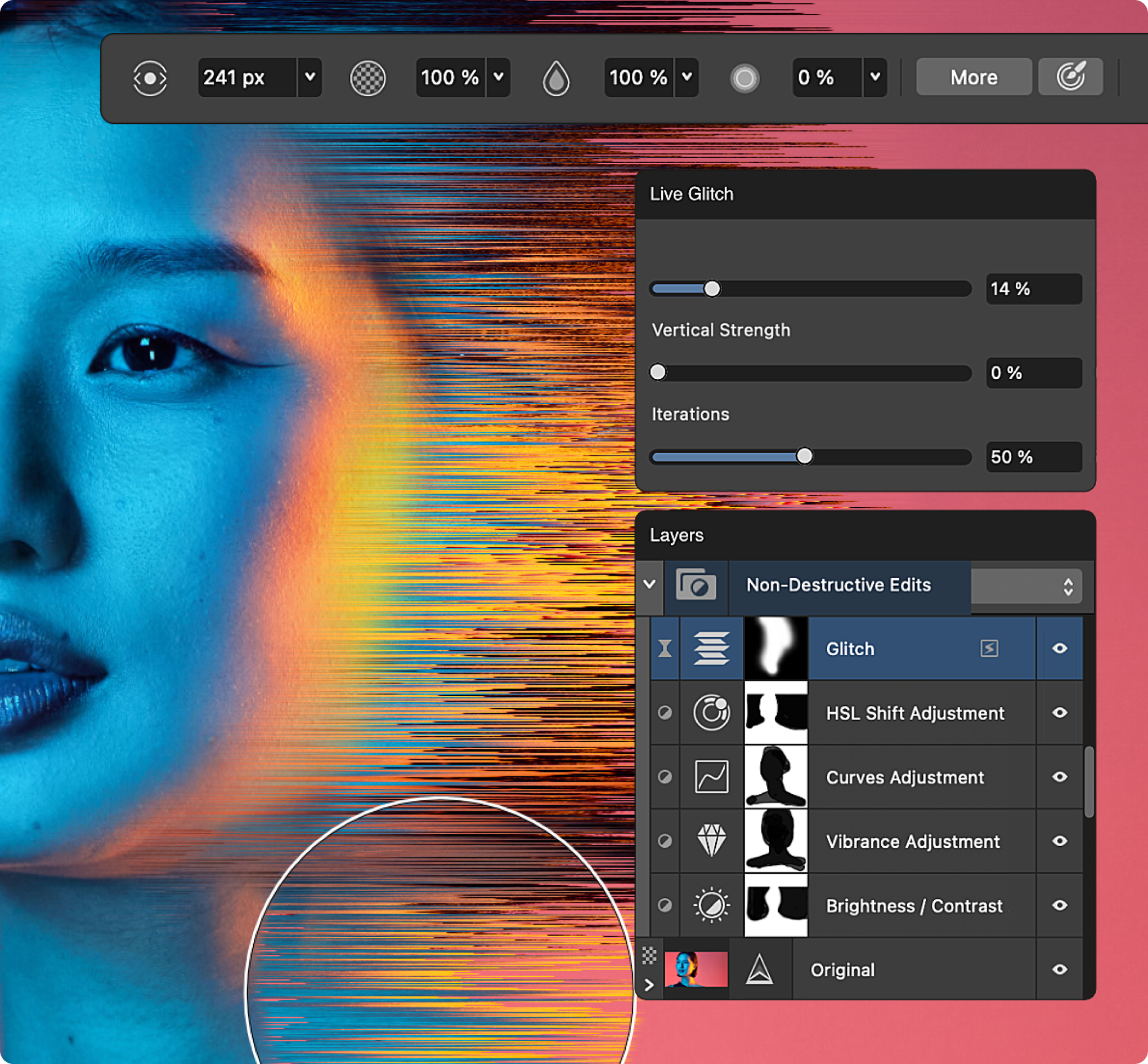
| Adding filters or effects | Apply visual treatments (like blur, vintage tints, drop shadows, or glows) to alter the mood, style, or focus of the image |
| Retouching | Remove blemishes, wrinkles, dust spots, or unwanted objects to perfect a photograph |
| Resizing | Change the physical or pixel dimensions of an image for web, print, or social media requirements |
| Sharpening and noise reduction | Enhance edge contrast so a soft or blurry image appears clearer and more defined; smooth out digital grain or artifacts, especially in low-light photographs |
| Clipping / masking | Use vector paths or shapes to hide portions of an image, forcing it into a specific geometric form |
| Overlaying text / images | Place typography or secondary graphics on top of the image, often using blend modes to integrate them seamlessly |
| Blending layers | Use blending modes (Multiply, Screen, Overlay) to combine multiple images or textures interactively |
| Combining images (compositing / photomontage) | Merge elements from multiple different photos into a single, cohesive, realistic scene - comprehensive alterations to reality, from subtle enhancements to surreal transformations |
Cropping for Different Platforms
| Platform | Orientation that works |
|---|---|
| Instagram post | Square / portrait |
| Instagram Story | Vertical |
| YouTube thumbnail | Landscape |
| Billboard | Very wide landscape |
| Flyer | Portrait / landscape |
10. Core Design Principles Related to Image (Image Fundamentals)
Effective image composition and integration are governed by foundational design principles that ensure visual harmony and clear communication. Understanding both the technical actions of editing and the core principles that govern those edits is essential for professional visual arrangement.
A. Image Quality, Resolution and Optimization
Understanding resolution is fundamental to ensuring images perform across their intended mediums. Confusing these standards frequently results in images that appear crisp on screen but pixelated or soft in print, or unnecessarily large web files that slow page loading and degrade user experience:
- Raster vs vector (recap): raster images are a fixed grid of pixels - quality depends on resolution, ideal for photographs and complex textures. Vector images are defined by mathematical paths - resolution-independent, infinitely scalable, the mandatory choice for logos, icons, and infographics.
- Best practices for optimization: begin with the highest quality source available and save master files in lossless formats to preserve maximum flexibility for future edits. From those masters, create optimized versions per application - compressed JPEGs or WebP files for web deployment, CMYK-converted TIFFs or PDFs for commercial printing. The balance between quality and file size is a professional responsibility.
- AI image optimization: AI-generated images may need extra steps - enhancing resolution for print applications, removing generation artifacts, fine-tuning colors and contrast, and ensuring visual consistency across multiple AI-generated assets within a single campaign.
B. Grid, Guideline Element Layout, Alignment and Composition
A grid is a network of lines that structure the placement of elements and create relationships between them - grids create consistency and guide hierarchy. Cropping is the act of redrawing the boundaries of an image; it is a powerful editorial tool:
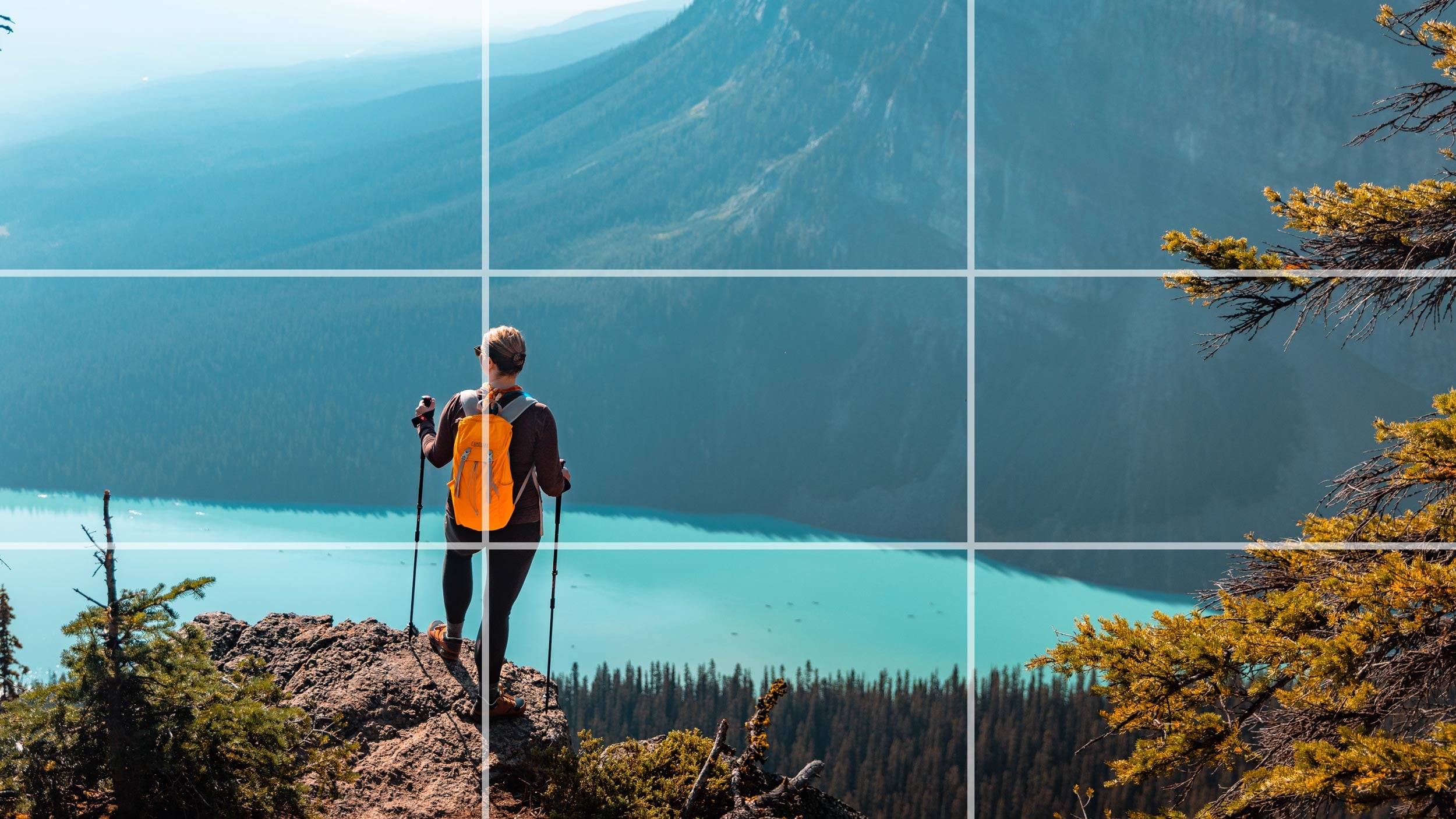
- Rule of thirds: imagine the image divided into nine sections. Aligning the focal point along intersecting grid lines (dividing the frame into thirds) creates dynamic tension and visual interest, rather than statically centering the subject.
- Leading lines: lines guide the viewer's eye toward an important subject - roads, buildings, arms, shadows, architectural lines.
- Symmetry: symmetrical images create stability, order, formality, and balance.
- Negative space (white space / copy space): empty space around a subject is extremely useful - if a person is on the right, empty space on the left can hold the headline.
- Contextual cropping: zoom in to isolate a specific detail, remove distracting backgrounds, or focus purely on an emotion (e.g. cropping closely on a subject's eyes).
- Landscape integration: cropping an image to bleed off the edge of a canvas creates a sense of infinite space - the viewer feels like they are looking through a window.
Core layout principles:
| Principle | What it means |
|---|---|
| Balance | The distribution of visual weight - symmetrically for formality and stability, or asymmetrically for dynamic tension and interest |
| Contrast | The juxtaposition of opposing elements - light versus dark, large versus small, textured versus smooth - creating visual excitement and directing attention |
| Hierarchy | The arrangement of elements in order of importance, ensuring viewers encounter information in a sequence that supports the design's objectives |
| Alignment | Positioning elements to create invisible connections, lending order and professionalism to a layout |
| Proximity | Grouping related elements together to establish relationships and reduce cognitive load |
| White space | Empty space that gives elements room to breathe, preventing layouts from feeling cluttered or overwhelming |
C. Image Placement, Scale, Proportion and Hierarchy
Where an image is placed affects the entire composition, and the size of an image relative to other elements dictates its importance. Changing image size changes its importance: large images communicate "Look at this first"; small images communicate "This supports the main message." Oversized imagery can also create dramatic, modern compositions.
Placement approaches: Full-bleed image (extends to the edges of the design) · Hero image (one large image becomes the dominant visual element) · Image grid (multiple images arranged systematically) · Image inside a shape (clipped into circles, squares, rounded rectangles, custom shapes, or letters) · Background image (sits behind typography and other elements).
Scale variations: Hero images - massive, full-bleed images dominating a layout (common in web design) immediately establish the brand world; Thumbnails - small, equally sized images in a grid allow rapid scanning and comparison of multiple items; Surreal scale - intentionally altering the proportion of objects within an image (making a human the size of an insect) creates instant surrealism and conceptual intrigue.
D. Color Theory in Images and Treatment Harmonization
Color is one of the basic visual elements that combine to create graphic design, and its application within imagery demands both technical knowledge and creative intuition. Designers navigate between color models appropriate to their output medium: RGB (Red, Green, Blue) for digital and screen-based projects, where light mixing creates vibrant on-screen colors; CMYK (Cyan, Magenta, Yellow, Black) for print production, where ink absorption onto substrate determines the final appearance; and Pantone spot colors for brand consistency across both physical and digital applications - standardized references that ensure uniformity regardless of production method.
Beyond technical models, color harmony governs the aesthetic relationships within an image: complementary colors create vibrant contrast and visual energy; analogous colors produce serene and cohesive palettes; triadic schemes offer balanced richness; monochromatic approaches emphasize subtlety and sophistication. The psychology of color cannot be overstated: warm reds and oranges may convey urgency or passion, while cool blues and greens suggest trustworthiness and calm. Try the treatments live - one photo, six different brand colour outcomes:
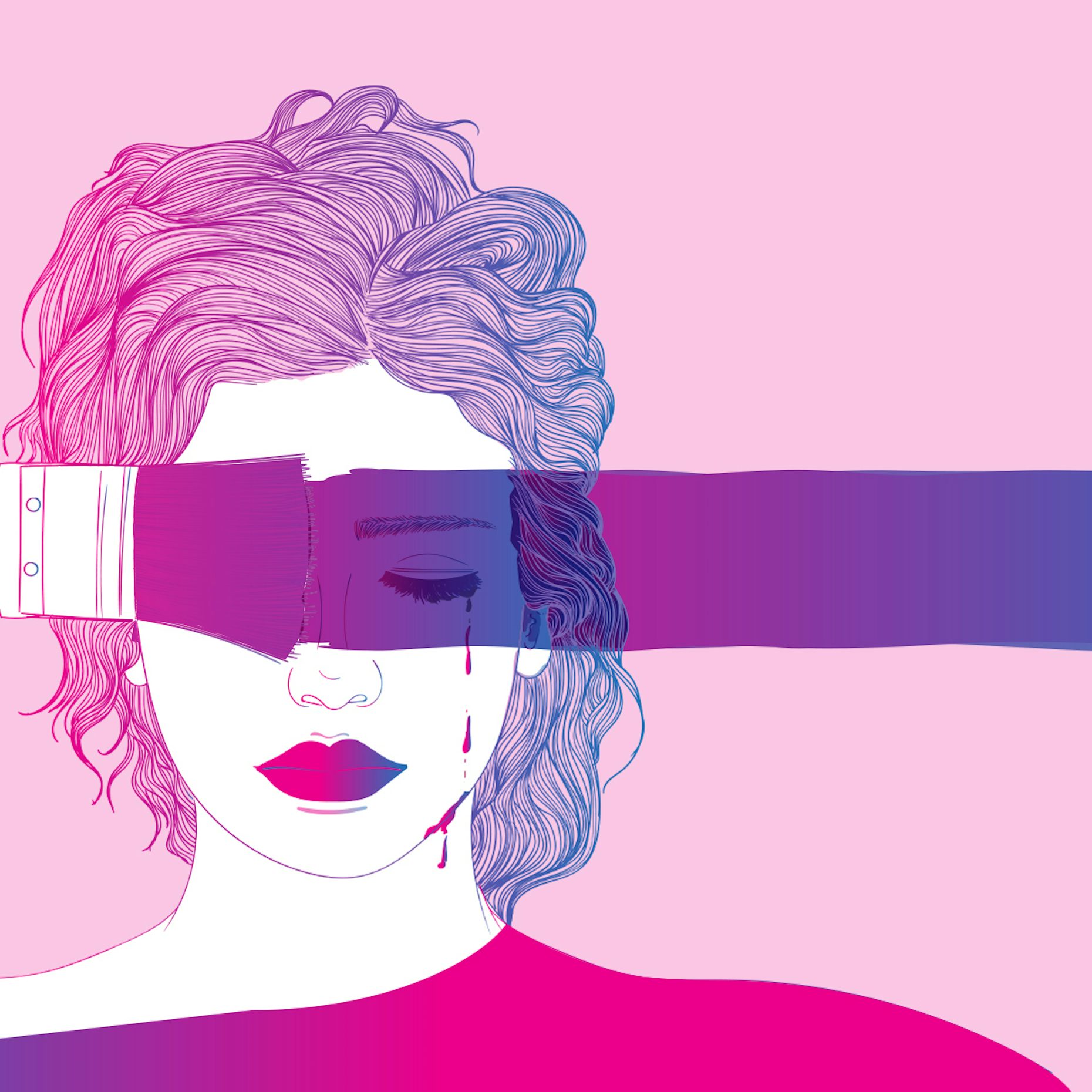
Raw photographs often clash with a brand's color palette. Images do not always have to remain in their original colours - designers treat images to unify them:
| Treatment | What it does |
|---|---|
| Black and white | Creates a classic, serious or editorial appearance |
| Duotones / Tritones | Convert a photo to grayscale and map two distinct colors to the shadows and highlights - forcing any photograph to match a brand's color scheme perfectly (e.g. stark duotones like the iconic Spotify playlist covers) |
| Color inversion | Inverting colors entirely turns standard photography into bold, graphic posters - stripping away realism in favor of pure mood and brand alignment |
| Colour grading | Global color adjustments (e.g. warming the highlights, cooling the shadows) create a cinematic, unified mood across multiple disparate photos |
| Saturation / Hue / Brightness / Contrast | Control colour intensity, characteristics, lightness, and the difference between light and dark |
| Image overlays | A semi-transparent block of brand color over an image unifies it and creates a better backdrop for text. Common overlays: solid colour, gradient, black/white transparency, texture, blur, and duotone effect - a dark transparent overlay makes white typography easier to read |
For further reading on how color palettes function within design software, explore Color as a Graphic Design Element.
E. Image, Contrast, Readability and Typography Integration
Typography and imagery do not exist in isolation; their integration determines whether a design feels cohesive or discordant. The basic visual elements - line, color, shape, texture, space, form, and typography - must all work in concert when text is placed within or alongside images.
Contrast helps separate important elements. You can create contrast using light vs dark, large vs small, sharp vs soft, warm vs cool, saturated vs muted, or busy vs simple. When placing text over an image, contrast is critical:
- Gradient scrims: a subtle dark-to-transparent gradient over a photo keeps text legible without completely hiding the image.
- Selectively blurring: a Gaussian blur on the image behind text removes visual noise, letting the text pop while retaining the image's color and general shape.
Example: white text over a bright photograph reads poorly. Possible solutions: darken the image, add a gradient overlay, add a translucent panel, move the text, add a subtle shadow, or choose a different image.
Hierarchy guides the viewer through the image and establishes reading order; contrast keeps text legible over complex photographic backgrounds (often requiring drop shadows, color overlays, or strategic placement within areas of visual calm); alignment means text complements the underlying image composition rather than fighting it - type can follow the directional flow of visual elements or create deliberate tension through opposition. White space gives both text and images room to breathe, preventing a cramped, unprofessional appearance. Consistency in typographic style across a series of images builds brand recognition and visual rhythm. When executed thoughtfully, the marriage of type and image transforms both: text provides explicit meaning; imagery provides emotional context. For additional insights, check Text as a Graphic Design Element.
11. Legal and Ethical Considerations in Image Usage
The legal landscape surrounding image use has grown increasingly complex with digital distribution, social media, and artificial intelligence. What begins as a seemingly harmless grab from a Google search or a quick repost on Instagram can escalate into costly litigation, reputational damage, and the collapse of client trust. Understanding these boundaries is not optional; it is a professional obligation that underpins every project - from a simple social media graphic to a multinational advertising campaign.
Copyright Law and Automatic Protection
Most images are automatically protected upon creation. The moment a photographer presses the shutter button or an illustrator completes a digital drawing, they hold exclusive rights to reproduce, distribute, display, and create derivative works from that image. Registration is not required (though registering copyrights strengthens the owner's ability to sue for damages). For designers this means you cannot legally use found imagery simply because it is accessible online: the default legal assumption is that every image you did not create yourself is someone else's property, and using it without authorization constitutes infringement. Ignorance is not a defense - courts consistently rule that the burden of verifying usage rights falls on the user, not the creator.
Case Study: Sabinus vs Peak Milk and Gala
One of the most significant recent cases illustrating the consequences of unauthorized image and intellectual property use in the Nigerian market involved Emmanuel Ejekwu, popularly known as Oga Sabinus or Mr. Funny. In 2022, the skit maker and comedian filed a lawsuit against FrieslandCampina WAMCO Nigeria (makers of Peak Milk) and UAC Foods (makers of Gala sausage rolls). Sabinus alleged that Peak Milk used his trademark catchphrase "Something hooge" in an advert without permission, while UAC Foods used his animated likeness on their official Instagram page. He demanded N1 billion from Peak Milk and N500 million from UAC Foods for intellectual property theft and unauthorized use of his image and trademark.
The case is instructive for graphic designers on multiple levels. First, image usage is not limited to photographs: animated depictions, caricatures, and digital representations of a person's likeness can trigger legal action. Second, large corporations with extensive marketing departments are not immune to oversight - if anything, their deep pockets make them attractive targets for litigation. Third, it underscores the distinction between copyright and trademark: the animated image raised personality rights and copyright issues, while the phrase "Something hooge" fell under trademark infringement - a single campaign can violate multiple categories of intellectual property law simultaneously. For designers working on brand campaigns, the lesson is clear: never use a person's likeness, voice, catchphrase, or distinctive visual identity without explicit written permission, model releases, and trademark clearance.
International Case Studies and Precedents
| Case | What happened | The lesson for designers |
|---|---|---|
| Andy Warhol Foundation vs Lynn Goldsmith | Photographer Lynn Goldsmith sued the Warhol Foundation over a series of Prince portraits based on her copyrighted photograph. The case reached the U.S. Supreme Court and tested the limits of "transformative use" - the court emphasized that even highly artistic adaptations can infringe if they compete with or substitute for the original image's commercial purpose | Heavily editing or stylizing someone else's photograph does not automatically grant you legal protection |
| Associated Press vs Shepard Fairey | Street artist Shepard Fairey created the iconic "HOPE" poster for Barack Obama's 2008 presidential campaign using a photograph by AP freelancer Mannie Garcia without permission. Fairey claimed fair use; the case settled with the parties agreeing to share rights and profits | Political and socially significant use does not override copyright - commercial benefit derived from an unlicensed image creates liability, no matter how transformative the artistic style |
| BuzzFeed vs Gregory Mango | BuzzFeed used a photograph by New York Post photographer Gregory Mango without permission and replaced his photo credit with the name of a law firm. Mango sued for infringement and for removing copyright management information (CMI) under the Digital Millennium Copyright Act (DMCA) - the court ruled BuzzFeed liable | Cropping out watermarks or removing photographer credits creates separate legal exposure beyond simple copyright infringement |
| Rogers vs Jeff Koons | Photographer Art Rogers sued Jeff Koons after Koons created a sculpture based on Rogers' photograph of a couple holding puppies. Koons claimed fair use by parody, but the court rejected the defense - the similarities were too close, and Koons could have used a more generic source | Appropriation art and derivative works walk a perilously thin legal line |
| Getty Images vs Stability AI | Getty claims Stability AI copied over 12 million photographs from its website to train the Stable Diffusion model despite express terms of use, and alleges outputs sometimes contain modified versions of Getty's watermark (ongoing) | The legal questions around training AI on copyrighted images are unresolved - treat AI outputs with caution |
Licensing Types and What They Actually Mean
| License | What it means | Watch out for |
|---|---|---|
| Royalty-free | Permits broad usage for a one-time fee | Not "restriction-free": typically prohibits resale, defamatory use, or use in high-risk contexts such as medical or political campaigns |
| Rights-managed | Specifies usage parameters with granular precision - duration, geography, medium, circulation size, and exclusivity | Violating any parameter (e.g. using an image globally when you only purchased a national license) constitutes breach of contract and copyright infringement |
| Creative Commons | Varying degrees of free use with specific attribution requirements and restrictions | Failing to provide proper credit, or using the image in a manner excluded by the license, can result in legal action |
| Public domain | No restrictions | Verify that an image is genuinely public domain - mislabeling on aggregator sites is common |
The Right of Publicity and Personality Rights
Separate from copyright is the right of publicity - legal protection of a person's name, image, likeness, and identity from commercial exploitation without consent. In the U.S., model Gigi Hadid was sued by paparazzi agency Xclusive-Lee after she posted a photograph of herself to Instagram without licensing it; she argued co-authorship because she had smiled at the camera, but the court dismissed that defense - the subject of a photograph does not automatically own the image or have unlimited rights to republish it. Conversely, basketball star LeBron James was sued by photographer Steve Mitchell for posting a photo of himself dunking to social media; James countersued for $1 million, but the case settled - even celebrities who are the subject of an image cannot republish it without the photographer's permission. The takeaway is twofold: you need a model release to use someone's likeness commercially, and you need a license to use a photograph even if your client is the person pictured in it.
AI-Specific Legal Considerations
In 2023, U.S. District Court Judge Beryl A. Howell ruled that AI-generated artwork cannot be copyrighted, stating that "human authorship is a bedrock requirement of copyright" and that works "absent any guiding human hand" do not qualify for protection - meaning images generated entirely by AI may not be defensible as your exclusive intellectual property in legal disputes. Additionally, class-action lawsuits filed against Stability AI, Midjourney, and DeviantArt allege these companies used billions of copyrighted images without permission to train their models; plaintiffs argue the defendants profit from images generated "in the style" of specific artists, siphoning commissions from the original creators. Designers face risk on two fronts: using AI tools may expose you to claims related to the underlying training data, and claiming ownership over AI outputs may be legally precarious. Best practices: document the AI tools used and the prompts entered for commercial projects, disclose AI involvement to clients where appropriate, and never represent AI-generated images as traditional photographs without transparency.
Fair Use: Narrower Than You Think
Fair use allows limited use of copyrighted material without permission for purposes such as education, commentary, news reporting, parody, and criticism - but it is a legal defense evaluated case-by-case on four factors: (1) the purpose and character of the use, (2) the nature of the copyrighted work, (3) the amount used, and (4) the effect on the market value of the original. In the Fox News case involving Thomas E. Franklin's iconic 9/11 photograph, the court rejected Fox's fair use defense even though the image was cropped, lower-resolution, and accompanied by the hashtag #neverforget - the photograph remained the predominant feature of the post, and the commentary did not sufficiently transform the original work's meaning. Never assume that editing, cropping, adding text, or posting to social media automatically qualifies as fair use.
Never remove watermarks, metadata, or copyright management information (CMI) from an image - doing so violates the DMCA and creates separate legal liability on top of any infringement claim.
Best Practices for Ethical Image Usage
Always verify before incorporating any image into commercial work. If you cannot identify the rights holder or the license terms, do not use the image.
Licenses, permissions, model releases, and correspondence with rights holders - organized by project so they can be produced immediately if challenged.
When required by Creative Commons licenses or contractual agreements - and as an ethical courtesy that supports the creative community even when not legally mandated.
For any identifiable person in a photograph used commercially - including street photography, event coverage, and portraits.
Avoid using brand logos, distinctive product packaging, or private property as central elements of your design without clearance.
Removing watermarks, metadata, or copyright management information violates the DMCA and creates separate liability.
For commercial projects - maintain transparency with clients about which visual elements are AI-generated.
Many clients assume that because they found an image online, it is free to use. Part of your professional role is explaining why this assumption is dangerous and potentially expensive.
12. The Interplay: How Images Interact with Other Elements
Images do not exist in a vacuum. Their interaction with lines, shapes, text, and space defines the sophistication of a design. A strong composition may combine Image + Typography + Colour + Shape + Line + Space + Texture + Icons - and the designer's task is to make these elements work together rather than allowing each to compete.
Image and Typography Integration
- Text over image (knockouts/overlays): the text sits directly on top of the photograph - the designer must ensure sufficient contrast, using gradient scrims or solid color overlays.
- Text beside image: image and text occupy separate areas.
- Custom wrapping (text wrapped around image): typography flows around the visual - text can wrap around the organic contour of a subject within an image (e.g. text flowing around the silhouette of a person), creating a seamless dialogue between the two.
- Image integrated with text: the image becomes part of the lettering - a word such as "FIRE" could contain flames within the letters.
- Negative space integration: the most elegant image-text interactions occur when an image is shot or cropped specifically to leave an area of empty sky or shadow where text can comfortably sit.
Image + Shapes (Masking, Framing and Clipping Masks)
- An image can be forced to take the shape of any vector outline: a rectangular photo inside a circular or custom-shaped mask turns the image into a graphic icon; geometric borders or structural shapes anchor a floating photo into a structured editorial element. A mask controls which parts of an image are visible - Photo + circle mask = circular portrait; Photo + text mask = image-filled typography; Photo + custom shape = creative composition.
- Extremely useful in Photoshop (Masking) and CorelDRAW (PowerClip, shaping, intersect).
- Removing a subject from its background (deep etching) is a staple of graphic design: a floating cutout lets the subject interact dynamically with typography and vector shapes, breaking the rectangular constraint of the camera frame.
Image as a Background
An image can become the foundation of an entire composition. Common structure: Image → overlay → headline → supporting text → CTA → logo - the default skeleton of social media flyers, event posters, movie posters, and church graphics. The background should support the message, not compete with it.
Image + Colours and Gradients
Images must harmonize with the overall color palette. Designers use color grading, duotones, and gradient overlays to tie an image into the brand's colors; gradients applied over an image add depth, create a retro vibe, or transition from a solid brand color into a photograph, blending the image seamlessly into the layout. An image's natural colors can be amplified to clash purposefully with vector shapes, or subdued to let vibrant typography take center stage.
Image + Lines
Lines can frame an image, lead the eye into or out of a photograph, or intersect an image to create dynamic tension. A line can act as a structural gridline that aligns the image's focal point with the baseline of the typography. Leading lines within the image itself (a road, a building edge) can be extended outward using vector lines in the layout - physically bridging the gap between the photograph and the surrounding graphic elements.
13. Techniques for Expressive and Graphic Images
Once the fundamentals are mastered, designers use advanced techniques to transform raw images into striking graphic art:
- Image + Image (blending and collage): combine two or more images using layer masks, transparency, blending modes (Multiply, Screen, Overlay), gradients, soft edges, and clipping masks.
- Double exposure: blend two images into a single conceptual composition - portrait + city skyline, or portrait + forest - the second image visually integrated into the first.
- Photomontage: cut out multiple elements from different photos and combine them into a seamless, surreal new reality - sophisticated, layered compositions.
- Image + effects: drop shadows, glow, blur, motion blur, lens effects, grain, texture, reflection, glitch, distortion, 3D effects, light rays, halftone, and pixelation.
- Glitch and distortion: pixel sorting, RGB channel splitting, or displacement maps create a cyberpunk, corrupted, or highly contemporary aesthetic - implying digital decay or futuristic themes.
- Texture and grain overlays: film grain, dust, scratches, or paper textures over a crisp digital image soften its perfection - tactile, vintage, or analog warmth bridging digital cleanliness and human touch.
- Halftone and posterization: reduce an image to dots (halftone) or flatten tonal ranges into stark poster-like blocks (posterization) - low-fi printing aesthetics used heavily in punk design, comic books, and pop art.
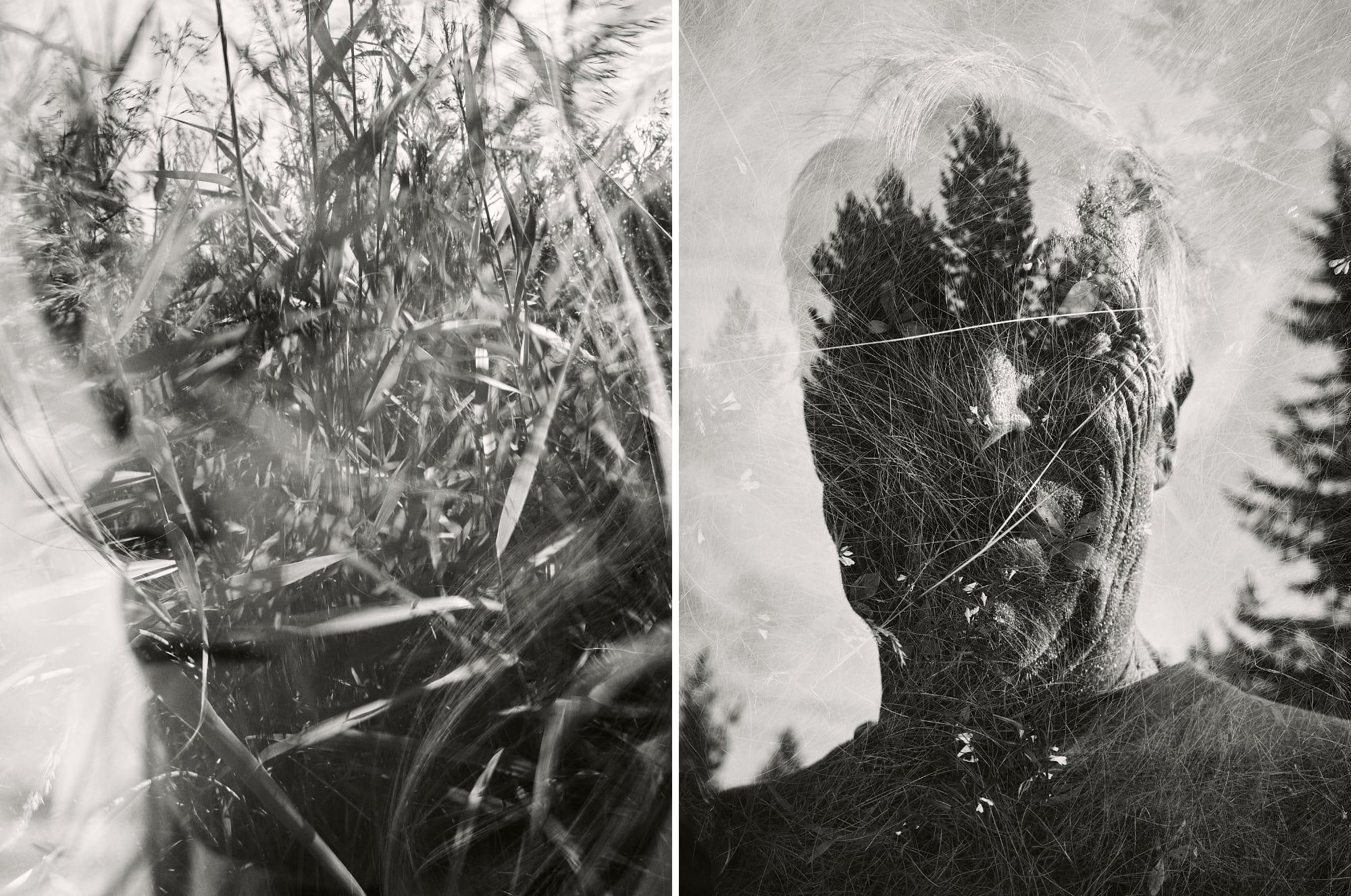
Important principle: effects should support the concept. Don't add effects simply because the software makes them available.
14. Visual Design Aesthetics and Practical Applications
The treatment of images defines many major design styles and is deployed constantly across the full spectrum of design practice - six of the most recognizable image treatments, rendered live below:
Practical Applications and Branding
Logos are usually typographic/vector, but brand imagery (photography style, illustration guidelines) defines the visual ecosystem. A brand might consistently use minimal photography, black-and-white photography, bright lifestyle photography, abstract illustrations, 3D graphics, or specific lighting styles. Consistent image treatment is a primary pillar of brand identity and creates visual consistency.
Hero images set the brand tone immediately above the fold; thumbnail images organize content into scannable grids (e-commerce, blogs); micro-interactions (hover states revealing secondary images) add delight.
Images pair with text in complex grids - full-bleed images alternate with contained images, drop caps, and pull quotes to create a visual rhythm that keeps the reader engaged through long articles.
Highly conceptual, manipulated images are the norm. A poster image must grab attention from across a street and communicate a single, powerful idea in a fraction of a second.
Images must look appetizing (food) or luxurious (cosmetics) - interacting with the physical fold of the box and the typography, often utilizing custom die-cuts where the physical window reveals the product inside.
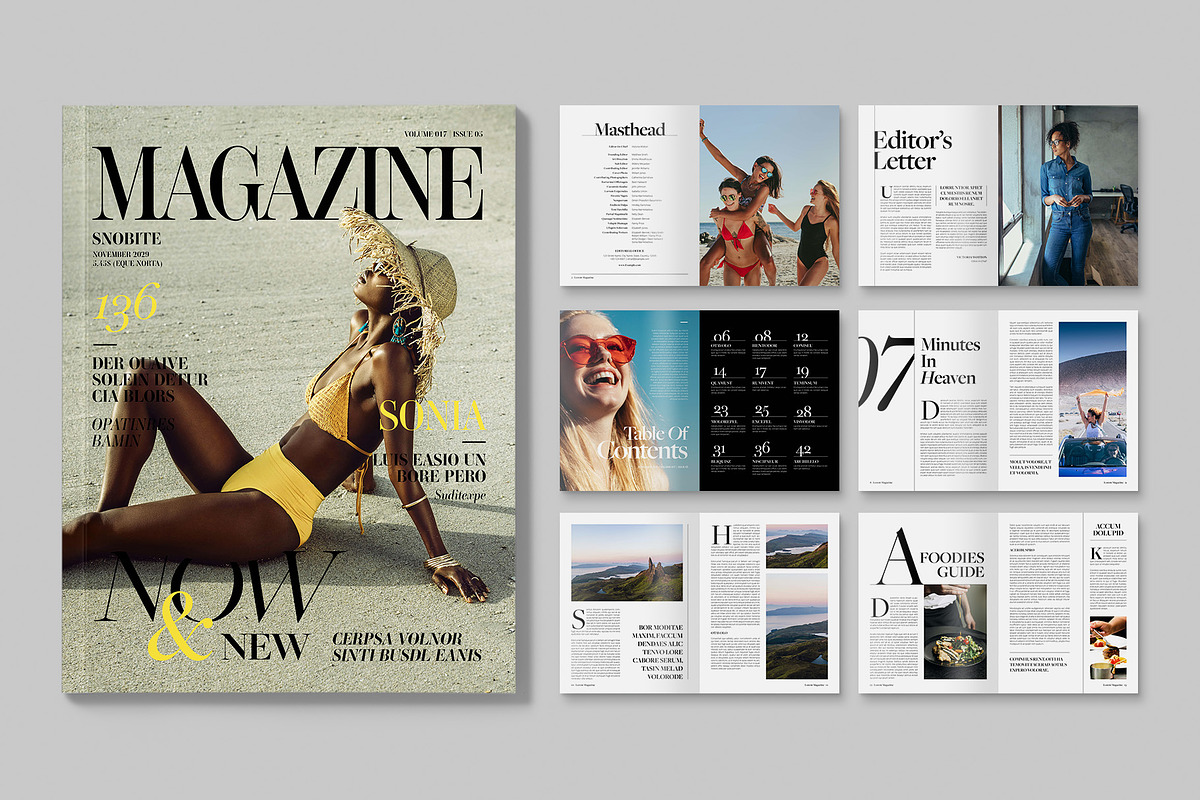
15. Pitfalls to Avoid (Common Image Mistakes)
Even experienced designers fall into recurring traps when working with images. Awareness is the first defense. To ensure professional and effective designs, avoid these common errors:
| Group | The mistake | Why it hurts and how to fix it |
|---|---|---|
| Technical | Low resolution scaling - using low-resolution images that pixelate when enlarged | Stretching a small, web-optimized JPEG to fit a massive poster destroys credibility instantly and looks amateurish - always source the correct resolution for the medium |
| Technical | Forced perspective / squashing (stretching images) - distorting aspect ratio to fill a space | People look unnaturally wide or thin - always use proportional scaling tools (hold Shift or use corner handles) to maintain the natural geometry of the subject |
| Sourcing | The "watermarked stock" look - generic, overly posed stock photography with visible watermarks, devoid of authentic human emotion | It signals laziness and a lack of brand identity |
| Sourcing | Using irrelevant stock photos - technically professional but communicating nothing | A technically beautiful photograph is a bad design choice if it does not support the specific message or context of the project |
| Sourcing | Inconsistent image styles - mixing unrelated photography styles | Placing a heavily filtered, moody image next to a bright, airy lifestyle shot creates visual whiplash and breaks the brand's ecosystem |
| Composition | Poor cropping (limb chopping) - awkwardly cutting at joints (like a wrist, ankle, or neck) or chopping off a chin | Important parts of the subject get accidentally removed - crop intentionally: show the whole figure naturally or crop boldly mid-torso for a deliberate graphic effect |
| Composition | Too many images - multiple images competing for attention | If every image fights for dominance the viewer's eye has nowhere to rest and the core message is lost |
| Composition | Competing focal points and poor text contrast - busy, high-contrast backgrounds behind small text | Typography disappears into the photograph and both become illegible - treat the image (blurred, darkened, or cropped) to serve the text |
| Colour | Ignoring color casts - a heavy green fluorescent shot next to warm golden sunlight | The clash of color temperatures is jarring - images must be color-graded to harmonize with one another and the overall design palette |
| Colour | Over-filtering - heavy Instagram-style filters, extreme HDR, excessive clarity | It dates the design immediately and destroys the natural beauty of the photograph |
| Colour | Excessive effects - drop shadows, glows, bevels, and distortions all at once | The design looks cluttered and amateurish - effects should support the concept, not show off software capabilities |
| Other | Ignoring subject gaze and direction - failing to leave negative space where the subject looks or points | The viewer's eye gets trapped - the gaze should guide the eye toward the text or the rest of the composition, not off the edge of the page |
| Other | Overlooking background distractions - a pole appearing to grow out of someone's head, or a photobomber | Focusing only on the main subject is not enough - a clean composition requires a clean background |
| Other | Failing to optimize for the medium - a massive uncompressed TIFF on a website, or saving an RGB JPEG for a commercial print job | Agonizingly slow load times, or dull, washed-out print colors - always format and optimize the image for its specific final destination |
16. The Best Practices Workflow and Checklist
The Image Design Workflow
flowchart TD
    A(["1. Understand the brief"]) --> B["2. Identify the message"]
    B --> C["3. Determine the audience"]
    C --> D["4. Research visual references"]
    D --> E{"5. Select or create images"}
    E -->|"Find"| F["Search engines - stock libraries - communities"]
    E -->|"Make"| G["Photography - illustration - 3D modeling"]
    E -->|"Generate"| H["AI text-to-image and manipulation"]
    F --> Q["6. Check image quality and licensing"]
    G --> Q
    H --> Q
    Q --> I["7. Crop and compose"]
    I --> J["8. Apply colour treatment"]
    J --> K["9. Combine with typography"]
    K --> L["10. Establish hierarchy"]
    L --> M{"11. Review at actual output size"}
    M -->|"Pass"| N(["12. Export for print or digital"])
    M -->|"Needs work"| I
Image Selection Questions
Before choosing an image, ask:
The image exists to carry it - not to fill space.
Their age, culture and expectations shape what reads as authentic.
Name the feeling before you pick the frame.
Medium dictates orientation, resolution and treatment.
If yes, plan contrast, scrims and copy space now.
A technically beautiful image can still be the wrong image.
Professional Checklist
For every project utilizing images, work through this checklist to ensure your decisions are intentional:
Does the image communicate the intended message? Is it relevant to the audience?
Is the resolution appropriate? Is the subject sharp enough? Is the image properly exposed?
Is the subject positioned intentionally? Is there enough negative/copy space? Does the crop work?
Can the text be read easily? Is there sufficient contrast?
Does the image work with the colour palette? Is the colour treatment consistent?
Is the correct colour mode being used? Is the final size correct? Is the correct file format being exported?
Do you have permission/licensing to use the image?
Define the mood and purpose of the imagery; create a mood board; decide whether you will use photography, illustration, or 3D.
And before delivery, run the extended pass:
- Sourcing and licensing: ensure you have the correct commercial licenses for all images - never use random Google Image searches for commercial work; verify model releases for recognizable people.
- Technical specs: verify resolution (300 DPI for print, optimized PPI for web) and the correct color mode (CMYK for print, RGB for digital).
- Color harmonization: color-grade or treat images so they share a cohesive tonal palette; ensure images don't clash with brand colors or each other.
- Composition and cropping: check the rule of thirds; ensure cropping doesn't awkwardly amputate subjects; verify the focal point leads the eye naturally to the text.
- Text integration: ensure high contrast between text and image - use gradient scrims, blurs, or overlays if necessary. Never let an image make text illegible.
- Context and authenticity: ensure the image accurately reflects the message; avoid clichéd, inauthentic stock imagery if genuine photography is possible.
- Exporting: save images in appropriate formats (JPEG for photos, PNG/WebP for graphics with transparency, SVG for vector illustrations) and compress web images for fast load times without visible quality loss.
17. Conclusion
Images remain the cornerstone of visual communication in graphic design - powerful tools for storytelling, brand building, and emotional connection. The image is the visual anchor: the element that bridges the gap between the abstract world of ideas (represented by text and shapes) and the physical, recognizable world we inhabit. Whether sourced from traditional stock libraries, captured through personal photography, or synthesized through advanced AI generation and manipulation, visual assets function as the primary vehicle through which designers engage audiences across all mediums.
The Paradigm Shift: Beautiful vs Effective
The biggest mistake beginners make is asking: "What beautiful image can I use?" Instead, you must ask: "What image communicates my message most effectively?" That change in thinking is extremely important. Image selection is not merely about finding something beautiful - it is about finding or creating the right visual solution for the communication problem. A technically beautiful photograph can be a bad design choice if it doesn't support the communication objective. Mastering imagery means realizing that an image is never just "a picture" - it is a malleable graphic material.
The Symbiosis of Image and Text
The best use of imagery is symbiotic. The image attracts the eye and sets the mood; the text delivers the specific message. Neither competes; they elevate one another. The rules of cropping, color treatment, scale, and contrast do not constrain the image - they channel its raw power into clear, effective visual communication. Think of Image as a Graphic Design Element like this:
flowchart LR
    A(["IMAGE"]) --> B["Attracts attention"]
    B --> C["Communicates information"]
    C --> D["Creates emotion"]
    D --> E["Establishes context"]
    E --> F["Supports typography"]
    F --> G["Creates hierarchy"]
    G --> H["Builds visual identity"]
    H --> I["Improves storytelling"]
    I --> J(["Influences audience perception"])
Mastery, Technology, and Ethics
Mastery of this domain requires more than aesthetic sensibility: it demands technical proficiency in file formats, editing techniques, and optimization standards, plus creative fluency in composition, color theory, and typographic integration. The modern designer must embrace AI-powered workflows - text-to-image generation for rapid prototyping, inpainting and outpainting for advanced manipulation, reverse prompt engineering for stylistic analysis - while remaining vigilant regarding legal requirements and ethical considerations. By combining traditional design principles with cutting-edge technologies, and by optimizing every image for its intended context, designers can create impactful, professional work that resonates deeply with viewers.
The Shift in Perception
Your journey forward begins with a shift in perception. The next time you look at a photograph in a design, do not just look at what the picture is of. Look at how it has been cropped. Notice its color grade. Observe how it interacts with the negative space and the typography. See it as a graphic element - a shape, a texture, a mass of color and contrast - and then let its literal meaning serve the design.
That is the moment when a photograph transcends documentation and becomes graphic design. In an increasingly visual world, the ability to harness the full potential of imagery is not merely an advantage but a necessity for anyone seeking to communicate effectively through design.
- Product Photography - studio product-photography setup (header image)
- Fotogenic AI - clean studio product photograph (sneakers)
- Tubik Studio - flat digital illustration of a designer at work
- CGIFurniture - 3D-rendered interior scene
- Unsplash - macro marble texture photograph
- INSAIM DESIGN - mobile app UI concept with icon navigation
- Visme - infographic design ("All the World's Birds")
- Skillshare - mixed-media collage artwork
- Elegant Themes - Leonardo.AI interface screenshot
- 99Designs - duotone pop-art portrait treatment (also used in the colour-treatment lab)
- Colossal - double-exposure photography
- Travel Photography by Andy Feliciotti - rule-of-thirds grid overlay photograph
- Affinity - photo editing software interface
- Creative Market - editorial magazine spread templates